Need help?
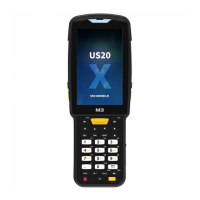
Do you have a question about the M3 Mobile US20X and is the answer not in the manual?
Important terms, conditions, and copyright notice for the manual.
Essential safety guidelines for device operation and handling.
Explanation of warning, caution, and note icons used in the manual.
Lists package items and guides initial setup like battery and SIM insertion.
Steps for device power management and memory card installation.
Overview of physical layout, buttons, keypad, and home screen navigation.
Using the virtual keyboard and performing device resets.
Instructions for establishing a connection between the device and a PC.
Basic operations for phone, Wi-Fi, and Bluetooth connectivity.
Instructions for using the scanner and NFC features.
Performing OS updates and customizing key functions.
Procedures for battery hot swap and fast charging.
Detailed technical specifications of the M3 US20 device.
Support contacts, service centers, and website details.
Important terms, conditions, and copyright notice for the manual.
Essential safety guidelines for device operation and handling.
Explanation of warning, caution, and note icons used in the manual.
Lists package items and guides initial setup like battery and SIM insertion.
Steps for device power management and memory card installation.
Overview of physical layout, buttons, keypad, and home screen navigation.
Using the virtual keyboard and performing device resets.
Instructions for establishing a connection between the device and a PC.
Basic operations for phone, Wi-Fi, and Bluetooth connectivity.
Instructions for using the scanner and NFC features.
Performing OS updates and customizing key functions.
Procedures for battery hot swap and fast charging.
Detailed technical specifications of the M3 US20 device.
Support contacts, service centers, and website details.
 General
| Model | US20X |
|---|---|
| Barcode Scanner | Yes |
| Sealing | IP65 |
| Interface | USB Type-C |
| Operating System Compatibility | Android |
| Type | Barcode Reader |
| Touch Panel | Capacitive |
| Supported Barcodes | 1D, 2D |
| Camera | 13 MP Rear Camera |
| Wireless LAN | 802.11 a/b/g/n/ac |
| Bluetooth | Bluetooth 5.0 |
| WWAN | LTE |
| GPS | GPS, GLONASS, BeiDou |
| NFC | Yes |
| Operating Temperature | -20°C to 50°C |
| Storage Temperature | -30°C to 70°C |
| Drop Specification | 1.5 m onto concrete |


 To Next Page