REFERENCE AT A GLANCECONTROLSDRIVING TIPSMOBILITY
41
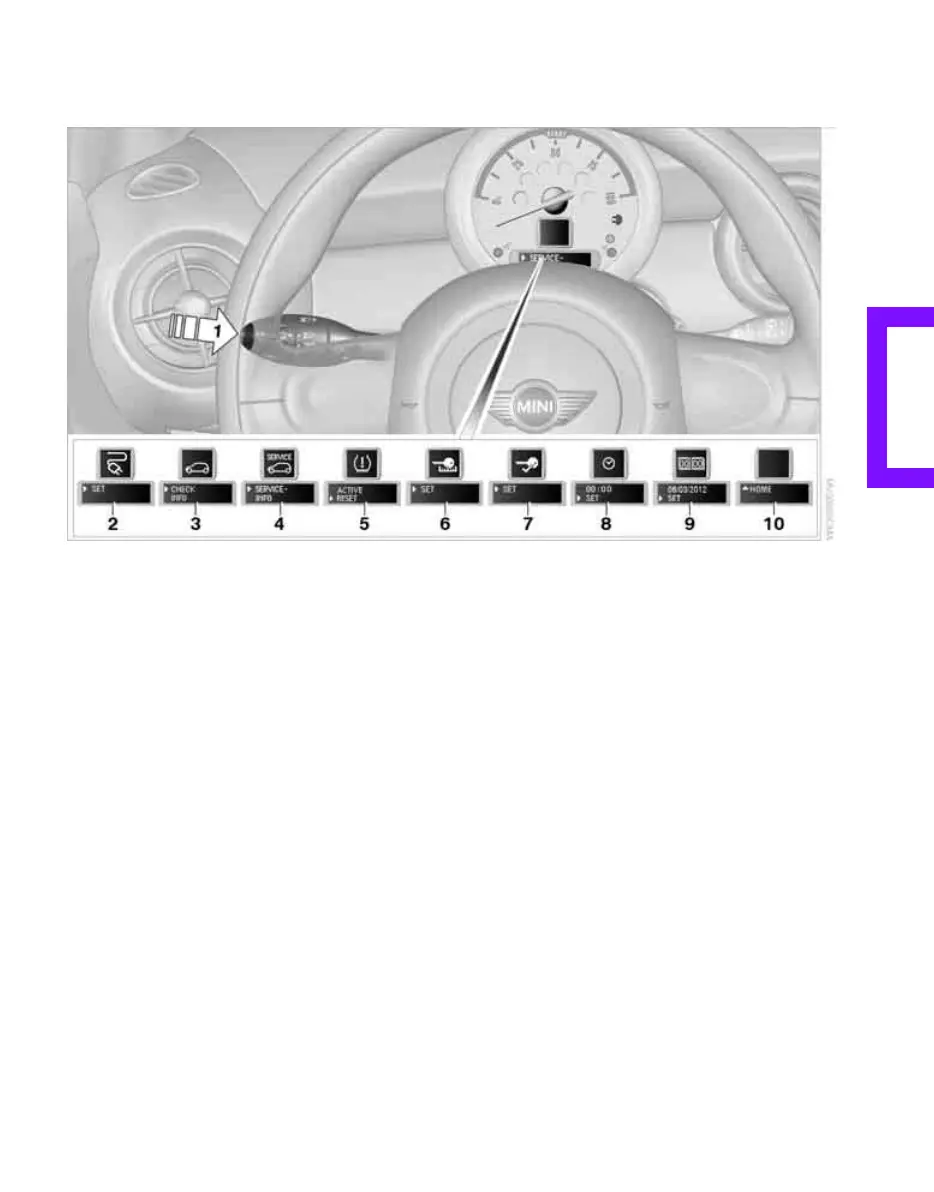
Settings and information
Operating principle
Certain settings and information are only avail-
able when the ignition is switched on, the vehi-
cle is at a standstill and the doors are closed.
1 Button for:
> Selecting display
> Setting values
> Confirming selected display or set values
> Calling up computer information 40
2 Adjusting the charging current 72
3 Calling up Check Control 46
4 Displaying vehicle check 46
5 Resetting the Tire Pressure Monitor 49
6 Setting formats and units of measure, reset-
ting to factory settings 43
7 Adjusting settings
> Confirmation signals when locking and
unlocking the vehicle 20
> Response during unlocking
procedure 19
> Automatic locking 22
> Pathway lighting 55
> Daytime running lamps 56
> Triple turn signal activation 36
8 Setting the time 45
9 Setting the date 45
10 Exiting the menu
Online Edition for Part no. 01 41 2 601 475 - © 11/08 BMW AG



 To Next Page
 Loading...