To Next PageTo Next Page
 Need help?
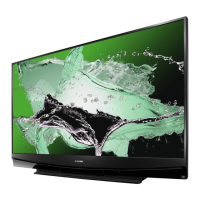
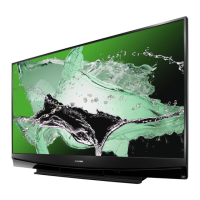
Do you have a question about the Mitsubishi Electric WD-65C10 and is the answer not in the manual?
Specifies the AC power input requirements. (AC 120V, 60Hz)
Details the type of light engine used. (DLP™ (1080p))
Indicates the power of the light source. (156W)
Specifies the antenna connection type. (RF 75Ω unbalanced)
Describes the tuning capabilities for analog and digital channels.
Details the specifications for analog video and audio inputs.
Specifies the levels for analog audio outputs.
Lists the available digital input and output connections.
Details the speaker output power. (10W x 2 / 2W x 16)
Lists model-specific dimensions, weight, and power usage information for chassis types.
Details procedures for performing cold and hot checks for leakage current.
Instructions for removing the rear cover of the TV unit.
Procedure for removing the main chassis from the cabinet.
Steps to remove the power supply shield cover.
Steps to remove the Power Supply Board (PWB-POWER).
Procedure for removing the main circuit board (PWB-MAIN).
Instructions for removing the ballast circuit board.
Steps to remove the optical engine assembly from the TV.
Procedure for replacing the projection lens component.
Instructions for replacing the color wheel assembly.
Procedure for replacing the screen assembly on specific models.
Steps to remove the screen from the front bezel.
Procedure for removing the lenticular screen and fresnel lens.
Procedure for removing the screen assembly on 82-inch models.
Steps to remove screen and lens components for 82" models.
Steps to replace the mirror assembly for 60, 65, and 73-inch models.
Procedure for replacing the mirror assembly on 82-inch models.
Guidance on using the remote control for service functions and adjustments.
Instructions on accessing and using the Option Menu for service.
Procedure to restore customer settings to factory defaults.
How to display and interpret digital signal information on screen.
Details various reset and initialization options for troubleshooting.
Explains front panel LED status for operation and malfunction indicators.
Lists error codes, their descriptions, and likely causes of failure.
Information on accessing and interpreting the error code log.
Procedure to test TV speakers individually using an internal tone generator.
Information on electrical adjustments and test patterns required for service.
Details required test equipment and internally generated test patterns.
Overview of specific adjustment procedures including geometry and index delay.
Instructions on adjusting data and saving changes.
Steps to properly exit the service menu.
Procedure for adjusting horizontal and vertical picture position.
Procedure to adjust index delay for color wheel timing.
Detailed steps for aligning geometry using patterns.
Aligning 16 points around the raster edge for geometry correction.
Performing fine-tuning adjustments for geometry correction.
Aligning geometry for 4:3 and 16:9 aspect ratios using specific patterns.
Procedure for data transfer using code commands for V43C/V43 models.
Procedure for data transfer using on-screen menus for V43+/V43++ models.
Procedure for removing surface-mount components like resistors and capacitors.
Procedure for removing surface-mount transistors.
Steps for soldering and replacing chip parts on a PCB.
Information on how to specify and order replacement parts.
How to identify safety-critical components in the manual.
Chart defining tolerance characteristics for electrical components.
A quick reference table for common part numbers and descriptions.
A detailed list of all serviceable parts with part numbers.
List and diagrams of screen assembly components for 60", 65", 73" models.
List and diagrams of screen assembly components for 82" models.
List of parts included in mirror replacement kits for various models.
Placement of stiffeners on mirror assemblies.
Placement of side stiffeners on mirror assemblies.
Placement of top stiffeners on mirror assemblies.
Block diagram of the V43/V43C power supply unit.
Block diagram of the V43+ power supply unit.
Block diagram of the V43++ power supply unit.
Block diagram showing power distribution for V43 and V43C chassis.
Block diagram showing power distribution for V43+ and V43++ chassis.
Block diagram illustrating the V43 signal path for V43/V43C models.
Block diagram illustrating the V43 signal path for V43+/V43++ models.
Block diagram detailing the V43++ audio signal path.
Block diagram showing the lamp control system.
Schematic diagrams for various power supply and related circuits.
Schematics for microprocessor, I/O, and interface circuits.
Schematics for audio, control, and module circuits.
 General
| Brand | Mitsubishi Electric |
|---|---|
| Model | WD-65C10 |
| Category | Projection TV |
| Language | English |