

 Need help?
Do you have a question about the Oki C711WT and is the answer not in the manual?
Provides the URL for the latest drivers and manuals.
Lists copyright information and registered trademarks.
Details compliance with EU directives (EMC, LVD, R&TTE, ErP).
Lists cable types and configurations used for EMC evaluation.
Instructions for handling toner powder exposure, including eye contact and inhalation.
Lists the manufacturer's name and address.
Lists the EU importer's name and address.
Provides a link to environmental information.
Explains the purpose of 'NOTE' for additional information.
'CAUTION' explains potential equipment malfunction or damage.
'WARNING' explains risk of personal injury.
Emphasizes using genuine consumables for optimal performance and warranty.
Describes the various documents included in the product's documentation suite.
Explains what the current book describes, focusing on driver software features.
Highlights the advanced features of the color printer, like ProQ/High Quality technology and high resolution.
Lists optional features such as additional paper trays, memory, and storage cabinets.
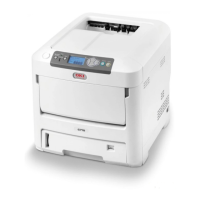
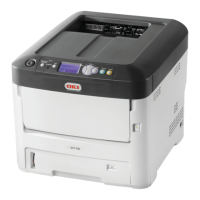
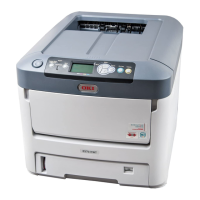
Identifies and describes the components visible on the front of the printer.
Identifies and describes the connection panel and output stacker on the rear of the printer.
Describes how the printer enters and exits power saving mode.
Provides step-by-step instructions for safely shutting down the printer.
Advises on suitable paper weights and types for optimal print performance.
Details the sizes and weight ranges supported by the printer's cassette trays.
Outlines the sizes and weight ranges compatible with the multi-purpose tray.
Specifies the capacity and paper weight limits for the face-down output stacker.
Details the capacity and paper weight limits for the face-up output stacker.
Step-by-step guide on how to load paper into the printer's cassette trays.
Instructions on adjusting paper guides and stoppers for correct paper feeding.
Offers essential tips to prevent paper jams during loading.
Advises on proper handling of paper trays during the printing process to avoid jams.
Explains how to use the face-up and face-down stackers correctly for different print media.
Detailed steps for loading various paper types into the multi-purpose tray.
Explains methods to access printer driver settings based on the operating system.
Clarifies the hierarchy of settings: printer defaults, driver defaults, and application settings.
Guides on navigating the printing preferences dialog for Windows applications.
Details options within printing preferences like page orientation, order, and pages per sheet.
Step-by-step instructions for changing default printer settings in Windows.
How to adjust printer settings directly from within Windows applications.
How to adjust printer settings directly from within Mac applications.
Steps to ensure the printer driver recognizes installed hardware features in Windows.
Steps to ensure the printer driver recognizes installed hardware features in Mac OS X.
Refers to separate instructions provided with the storage cabinet for installation.
Explains how to select between Color Print and Gray Scale (White) Print modes.
Notes on the color matching process and limitations in the driver.
Instructions for setting color modes and options within Mac OS X print dialog.
How to enable Gray Scale (White) printing for documents using only white toner in Windows.
How to enable Gray Scale (White) printing for documents using only white toner in Mac OS X.
Explains how to use white toner for specific print effects, distinguishing between White On and White Off.
Instructions for setting the print mode (White On/Off) in Mac OS X.
Explains how to collate multiple copies of multipage documents.
Describes how to use separator or cover pages to identify jobs when sharing a printer.
Details how to print a cover page using a different paper tray.
Instructions for printing documents on non-standard paper sizes.
Guides on printing multiple document pages onto a single sheet of paper.
Explains how to scale document pages to fit a different paper size.
Instructions for printing on special media like transfer or transparency films.
Compares collating performed by the application versus the printer driver.
Steps to enable printer collate feature in Windows print settings.
Steps to enable printer collate feature in Mac OS X print settings.
Instructions for setting up separator pages in Windows driver defaults.
Instructions for setting up cover pages from within Mac OS X applications.
How to configure cover print options using different paper feeds for the first and remaining pages in Mac OS X.
Detailed steps for defining custom paper sizes and feed direction in Windows PostScript driver.
Instructions for managing and defining custom paper sizes and margins in Mac OS X.
Guide on selecting the number of pages per sheet in the Windows PostScript driver.
Instructions for configuring layout and pages per sheet settings in Mac OS X.
How to use the Scale to Fit Paper Size option for printing in Mac OS X.
Steps for printing on film media using the Windows driver, including paper size and source selection.
Instructions for printing on film media using Mac OS X, including media type and paper input options.
Detailed steps for removing white backgrounds when printing from Adobe Photoshop.
Steps for removing white backgrounds when printing from Adobe Illustrator.
Identifies and explains the functions of buttons and indicators on the printer's operator panel.
Options for configuring paper feed, tray sequence, unit measurement, and media types.
Settings for paper size, media type, media weight, and tray usage for the multi-purpose tray.
Various system adjustments including power save, sleep time, low toner, and drum cleaning.
Procedures for setting an administrator password and configuring network protocols like TCP/IP.
Details on configuring Web, Telnet, FTP, IPSec, and SNMP network services.
Settings for network scale, hub link, factory defaults, and print personality.
Configuration for print resolution, custom paper dimensions, and PS communication protocols.
Settings for color density compensation and receive buffer size.
Options for initializing flash memory, setting near-life warnings, and configuring time settings.
Procedures for changing the administrator password and verifying it.
Options for resetting, saving, and restoring menu settings to factory defaults or current configurations.
Procedures for automatic density adjustment and registration calibration.
Guides for printing tuning patterns and adjusting color density for specific tones.
Configuration options for the printer's parallel data interface, including ECP and ACK width.
Configuration options for the printer's USB data interface, including speed and soft reset.
General advice on using genuine consumables for optimal printer performance.
Detailed steps and precautions for replacing toner cartridges.
Step-by-step guide and cautions for replacing the printer's image drums.
Instructions for safely removing and replacing the transfer belt unit.
Detailed steps and safety warnings for replacing the printer's fuser unit.
Instructions for cleaning the exterior surfaces of the printer unit.
Guide on how to clean the LED head for print quality issues.
Instructions for cleaning paper feed rollers to resolve frequent paper jams.
Steps for installing additional RAM memory boards to enhance printer capabilities.
Guide on how to install and connect additional paper trays to the printer.
Instructions to update printer drivers to recognize newly installed hardware features.
Refers to separate instructions provided with the storage cabinet for installation.
Explains common causes of paper jams and initial steps for clearing them.
Illustrates key printer components and the path paper takes during operation.
Lists and explains error codes related to paper sensors and their locations.
Detailed step-by-step instructions for clearing paper jams from various printer locations.

 To Next Page
 General