EasyManua.ls Logo

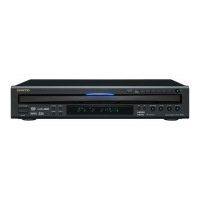
Onkyo DV CP704 - User Manual

Onkyo DV CP704
52 pages
Print Icon
To Next Page IconTo Next Page
Loading...
En
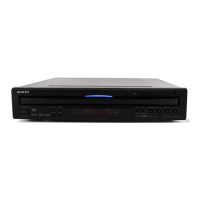
DVD Changer
DV-CP704
Instruction Manual
Thank you for purchasing an Onkyo DV-CP704
DVD Changer. Read this manual carefully
before using your new DVD Changer. A good
understanding of its features and operation will
allow you to achieve optimum performance and
enjoyment.
Keep this manual for future reference.
Contents
Overview ..............................................2
Connections ......................................17
Getting Started and Setting up ........22
Basic Playback ..................................23
Playback Techniques ........................34
Detailed Settings ...............................42
Miscellaneous information...............49

Table of Contents

Other manuals for Onkyo DV CP704

Question and Answer IconNeed help?

Do you have a question about the Onkyo DV CP704 and is the answer not in the manual?

Onkyo DV CP704 Specifications

General IconGeneral
BrandOnkyo
ModelDV CP704
CategoryCD Player
LanguageEnglish

Summary

Important Safety Instructions

Safety Warnings

Critical safety notices to reduce risk of fire or electric shock. Includes warnings about moisture and opening the unit.

Safety Instructions

Detailed list of mandatory safety precautions for operation, installation, and maintenance.

Precautions

Moisture and Environmental Precautions

Advice on preventing damage from moisture, heat, and improper environmental conditions.

Precautions-Continued

Connecting the DV-CP704

Connecting the DV-CP704-Continued

Connecting to a TV or Projector

Guide for video and audio connections to display devices like TVs and projectors.

Connecting to an AV Receiver

Instructions for connecting the DV-CP704 to an AV receiver for surround sound.

HDMI Connection Guide

Instructions for high-definition digital audio/video connection using an HDMI cable.

Powering Up & Setting Up the DV-CP704

Initial Setup Procedure

Guide for first-time configuration including TV shape, HDMI settings, and language.

Basic Playback

Basic Playback-Continued

Playback Control: Start, Pause, Stop

Operations for starting, pausing, resuming, and stopping disc playback.

Navigating DVD-Video Disc Menus

How to interact with onscreen menus for DVD content selection and options.

Advanced Playback-Continued

HDMI Video Output Settings

Configuring HDMI output resolution and enabling/disabling the HDMI feature.

Configuring the DV-CP704

Setup Menu Overview

Guide to the six configuration menus (Picture, Audio, Language, Display, Operation, Initial).

Configuring the DV-CP704-Continued

Operation Settings: Parental Lock and Security

Setting up parental controls to restrict content access and managing the security code.

Picture Menu Settings

Adjusting aspect ratio, view mode, and picture format for optimal display.

Troubleshooting

Power and Picture Display Issues

Solutions for problems related to powering on the unit or displaying video output.

Audio Output Issues

Troubleshooting steps for scenarios where no sound is produced or audio is incorrect.

Troubleshooting-Continued

Playback and Disc-Related Problems

Addressing issues with playback, disc recognition, file formats, and error messages.

Abnormal Behavior and HDMI Troubleshooting

Handling system lock-ups, restoring defaults, and diagnosing HDMI connection problems.

Remote Control and Button Functionality

Solutions for unresponsive buttons on the unit or remote control errors.
Related product manuals