EasyManua.ls Logo

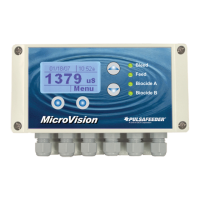
Pulsafeeder MicroVision EX - User Manual

Default Icon
38 pages
Print Icon
To Next Page IconTo Next Page
Loading...
72-900-06 Rev. F
Page 1 of 38
MicroVision
EX
MICROPROCESSOR – BASED
WATER TREATMENT
CONTROLLER
Installation Operation Manual

Table of Contents

Other manuals for Pulsafeeder MicroVision EX

Questions and Answers

Pulsafeeder MicroVision EX Specifications

General IconGeneral
TypeMicroprocessor-based controller
Power Supply100-240 VAC, 50/60 Hz
Inputs4-20mA, Pulse, Digital
OutputsRelay, 4-20mA
DisplayLCD
EnclosureNEMA 4X
CommunicationModbus RTU
Relative Humidity5% to 95% non-condensing

Summary

General Warnings and Safety

Controller Installation Guide

Location Selection Criteria

Guidance on selecting an appropriate mounting location for the controller.

Mounting Hardware Recommendations

Instructions for selecting and using appropriate mounting hardware.

Sensor Installation Procedures

Conductivity, pH, and ORP Sensors

Details the installation of conductivity, pH, and ORP probes.

Flow Switch Installation Guide

Instructions for installing the flow switch in a vertical position.

Important Symbol Information

Electrical Wiring Guidelines

Digital Input Configuration

Water Meter & Drum Level Inputs

Instructions for connecting water meter and drum level inputs.

4-20 mA Inputs;Outputs Setup

Details connecting sensors with 4-20mA output and using 4-20mA inputs.

Calibrating PTSA Probe

Controller Programming Overview

Main Menu Options

Configure Menu Options

Digital Input Configuration

Configure drum level and water meter inputs.

Password Setting and Security

Software Version and Factory Reset

Factory Reset Functionality

Resetting all controller parameters to their factory default values.

Settings Menu: Conductivity

Conductivity Probe Calibration

Guide to calibrating the conductivity probe using in-stream method.

Settings Menu: pH and ORP

pH and ORP Probe Calibration

Steps for calibrating pH and ORP probes using in-stream or standard solutions.

Timer Modes Overview

USB Data Management

Factory Default Settings

Troubleshooting Common Issues

Controller Maintenance Schedule

Product Specifications

Factory Service Policy and Warranty

Related product manuals