82Version: [###] Classification: Internal Owner: [Insert name] 05/11/2020
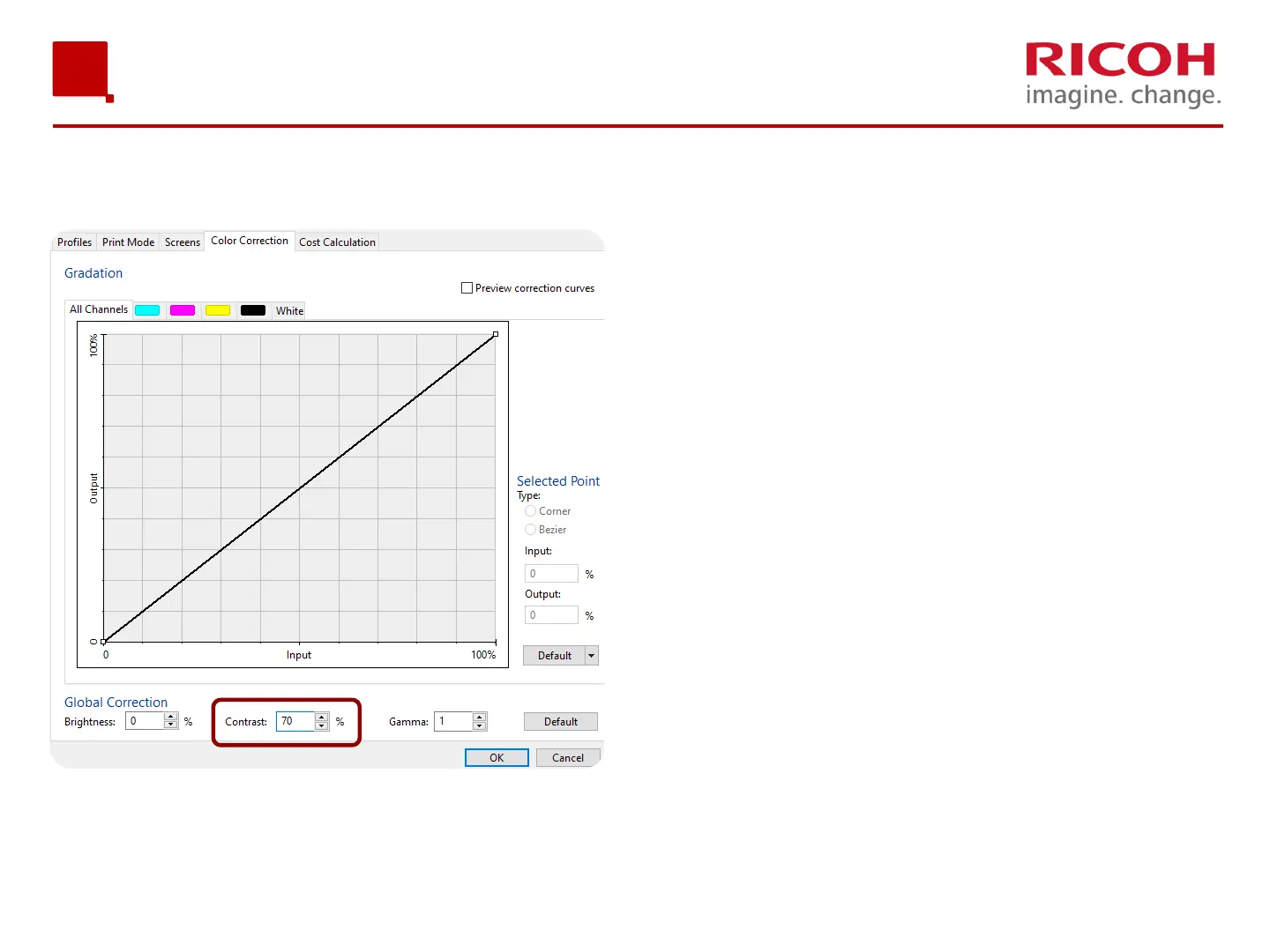
If you want the color in your
prints to pop a little more, select
the Color Correction Tab and set
the Contrast to 70. This will add
vibrancy to your color layer
print.
Image Settings – Advance Settings – Color Correction
ColorGATE Usage


 To Next Page
 Loading...