Operations
Operations
English36
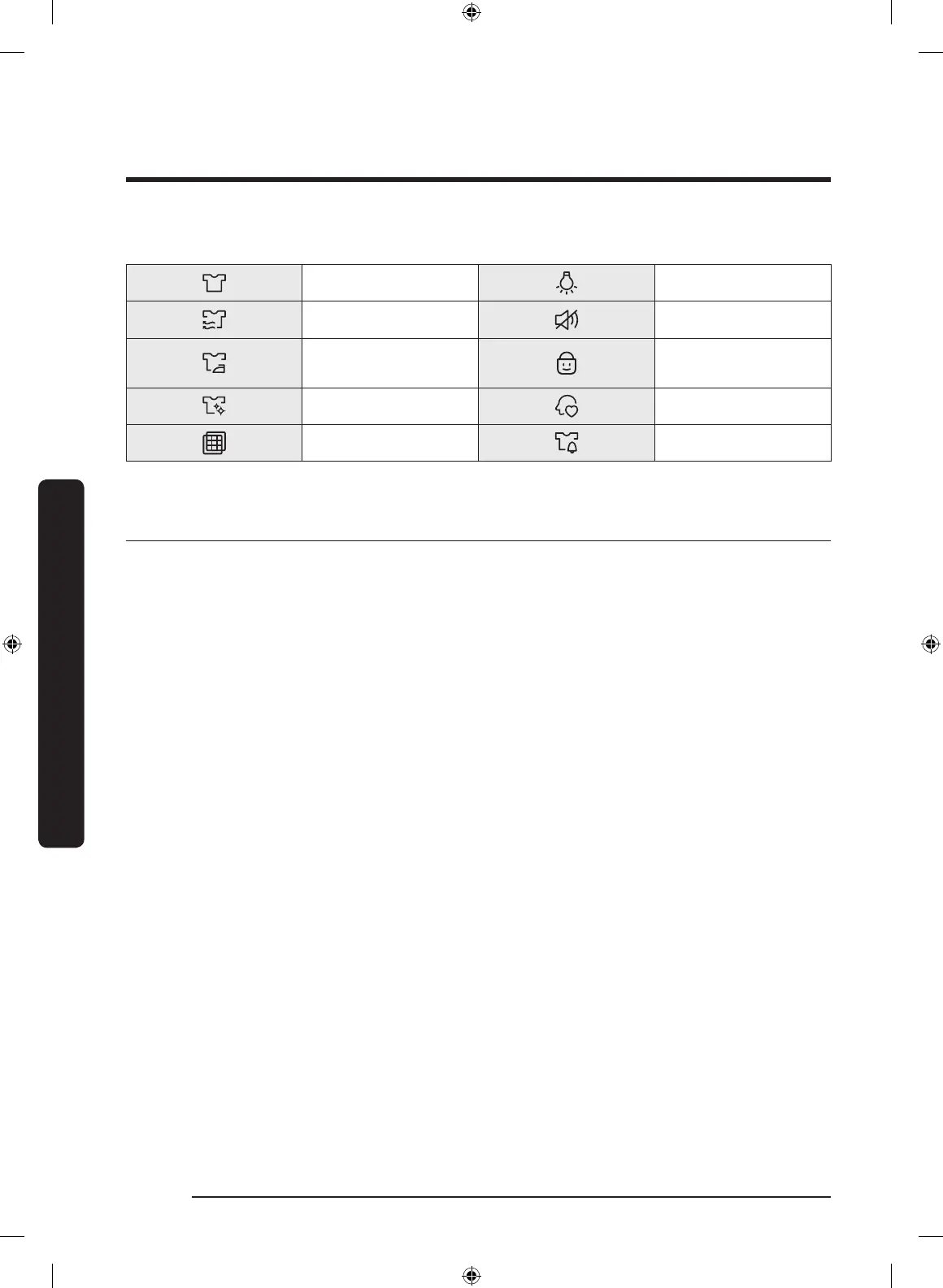
Indicators
Drying in progress Drum Light
Cooling in progress Sound Off
Wrinkle Prevent in
progress
Child Lock
Cycle is complete My Cycle
Filter Check Mixed Load Bell
Simple steps to start
1. Press Power to turn on the dryer.
2. Turn the Cycle Selector to select a cycle.
3. Change the cycle settings (Dry Level,
Temp., and Time) as necessary.
4. Optionally, you can activate options
available by pressing the relevant
button (Adjust Time, Wrinkle Prevent
and/or Mixed Load Bell).
5. Press Start/Pause. The dryer indicator
turns on with an estimated cycle time
on the display.
To change the cycle during operation
1. Press Start/Pause to stop operation.
2. Select a different cycle.
3. Press Start/Pause again to start the
new cycle.
DV6800K_DC68-03650A-08_EN.indd 36 2020-05-11 3:02:02


 To Next Page
 Loading...