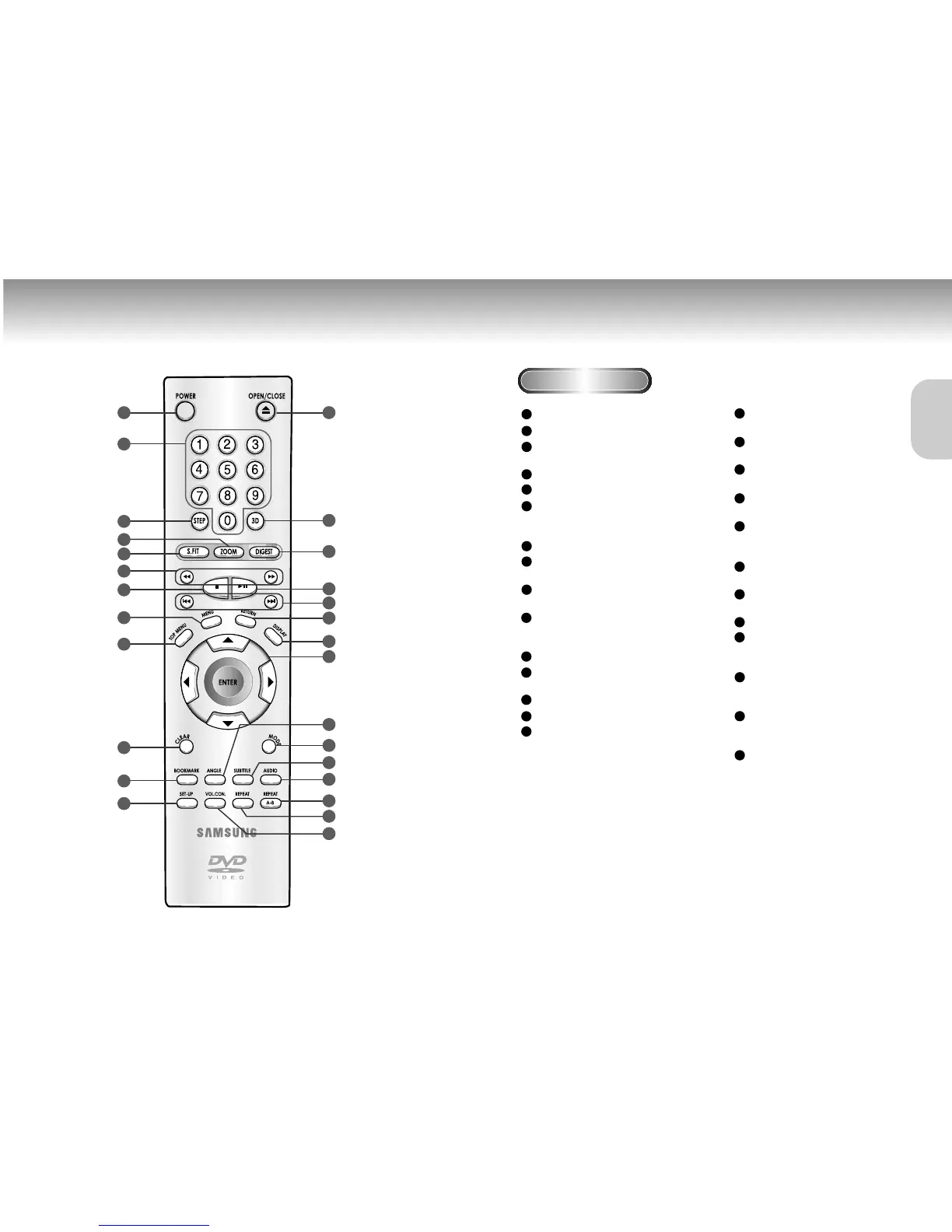
Tour of the Remote Control Tour of the Remote Control
DVD Function Buttons
DVD POWER Button
NUMBER Buttons
STEP Button
• Advances play one frame at a time.
ZOOM Button
S.FIT Button
SEARCH Buttons
• Allows you to search forward/backward
through a disc.
STOP Button
MENU Button
• Brings up the Disc menu.
TOP MENU Button
• Accesses a music or video display directly.
CLEAR Button
• Use to remove menus or status displays
from the screen.
BOOKMARK Button
SETUP Button
• Brings up the DVD player’s Setup menu.
OPEN/CLOSE Button
3D SOUND Button
DIGEST Button
PLAY/PAUSE Button
• Begin/Pause disc play.
SKIP Buttons
• Use to skip the title, chapter, or track.
RETURN Button
• Returns to a previous menu.
DISPLAY Button
• Displays the current disc mode.
ENTER/DIRECTION Button
(UP/DOWN or LEFT/RIGHT Button)
• This button functions as a toggle switch.
ANGLE Button
• Use to access various camera angles on a DVD.
MODE Button
• Allows you to program a specific order.
SUBTITLE Button
AUDIO Button
• Use this button to access various audio
functions on a disc.
A-B REPEAT Button
• Use to mark a segment to repeat between
A and B.
REPEAT Button
• Allows you to repeat play a title,
chapter, track, or disc.
VOL.CON.
1
2
3
4
5
6
7
8
9
10
11
12
13
14
15
16
17
18
19
20
21
22
23
24
25
26
27


 To Next Page
 Loading...