Need help?
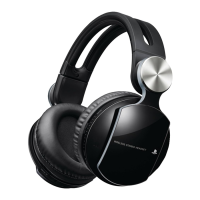
Do you have a question about the Sony CECHYA-0075 and is the answer not in the manual?
Observe all warnings and instructions, including CHOKING HAZARD for small parts.
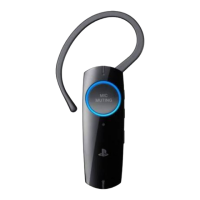
Connect the charging cradle to a USB device to charge the headset.
Pair headset with PS3™ system using USB cable for advanced features.
Pair headset as standard Bluetooth device with PS3™ system.
Pair headset with Bluetooth®-enabled mobile phones for basic call functions.
Steps to resolve headset unresponsiveness by re-pairing with the PS3™ system.
Troubleshooting steps for headset stuck in pairing mode, including re-pairing.
Ensuring PS3™ system software is updated and automatic mode is used for advanced features.
Steps to ensure headset is charged, phone supports Bluetooth®, and pairing is correct.
Observe all warnings and instructions, including CHOKING HAZARD for small parts.
Connect the charging cradle to a USB device to charge the headset.
Pair headset with PS3™ system using USB cable for advanced features.
Pair headset as standard Bluetooth device with PS3™ system.
Pair headset with Bluetooth®-enabled mobile phones for basic call functions.
Steps to resolve headset unresponsiveness by re-pairing with the PS3™ system.
Troubleshooting steps for headset stuck in pairing mode, including re-pairing.
Ensuring PS3™ system software is updated and automatic mode is used for advanced features.
Steps to ensure headset is charged, phone supports Bluetooth®, and pairing is correct.

 To Next Page

 General