Help Guide
Wireless Stereo Headset
WI-C100
Resetting the headset
If the headset cannot be turned on or cannot be operated even when it is turned on, reset the headset.
The device registration (pairing) information and other settings are retained.
If the headset does not operate correctly even after resetting, initialize the headset to restore factory settings.
Related Topic
Initializing the headset to restore factory settings
5-036-709-11(2)
Copyright 2022 Sony Corporation
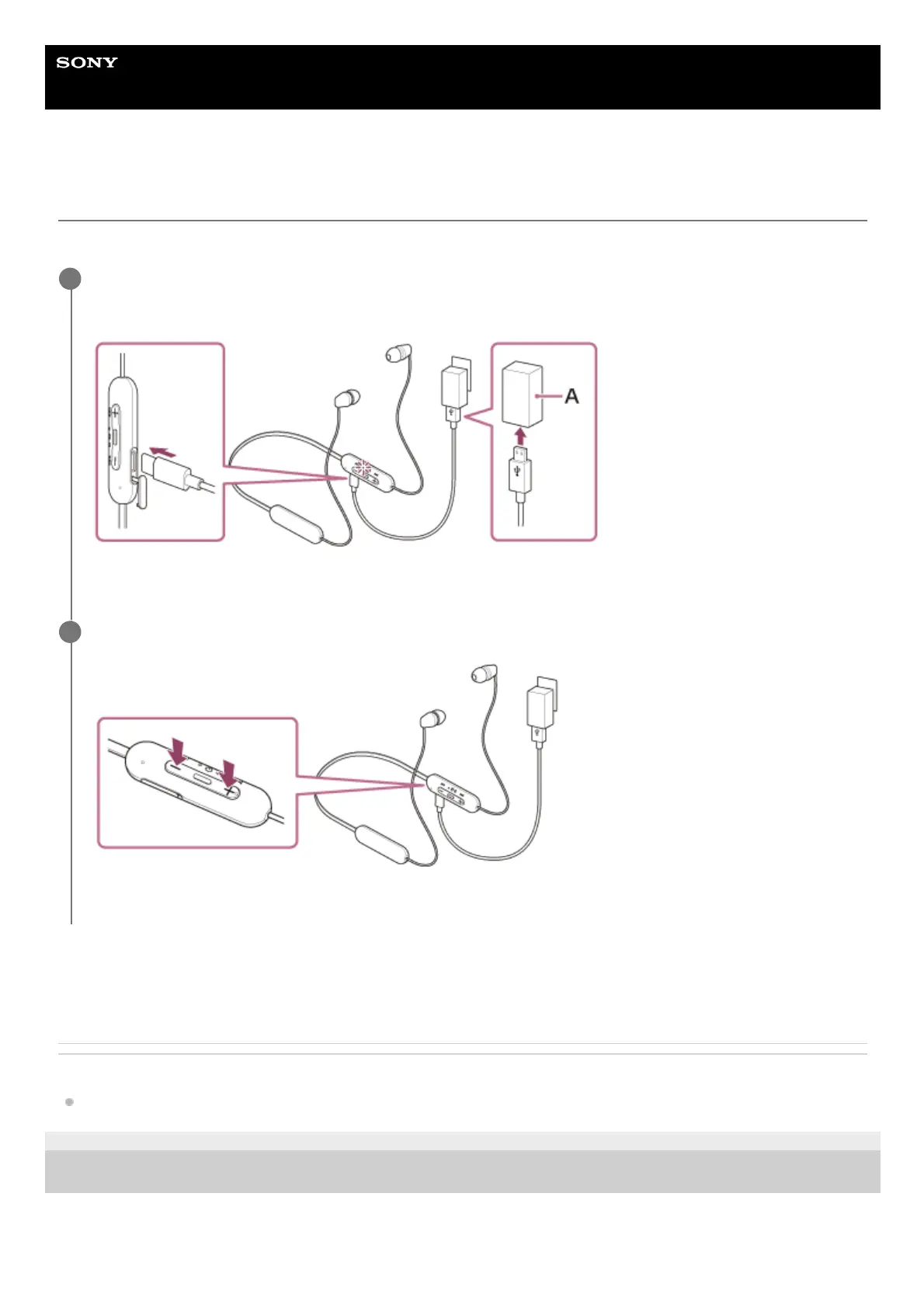
Connect the headset to an AC outlet.
Use a commercially available USB Type-C cable and USB AC adaptor.
A: USB AC adaptor
1
Press the + (volume +) button and the – (volume –) button simultaneously.
The headset will be reset.
2


 To Next Page
 Loading...



