’04 4Runner_U (L/O 0308)
264
2004 4RUNNER from Aug. ’03 Prod. (OM35811U)
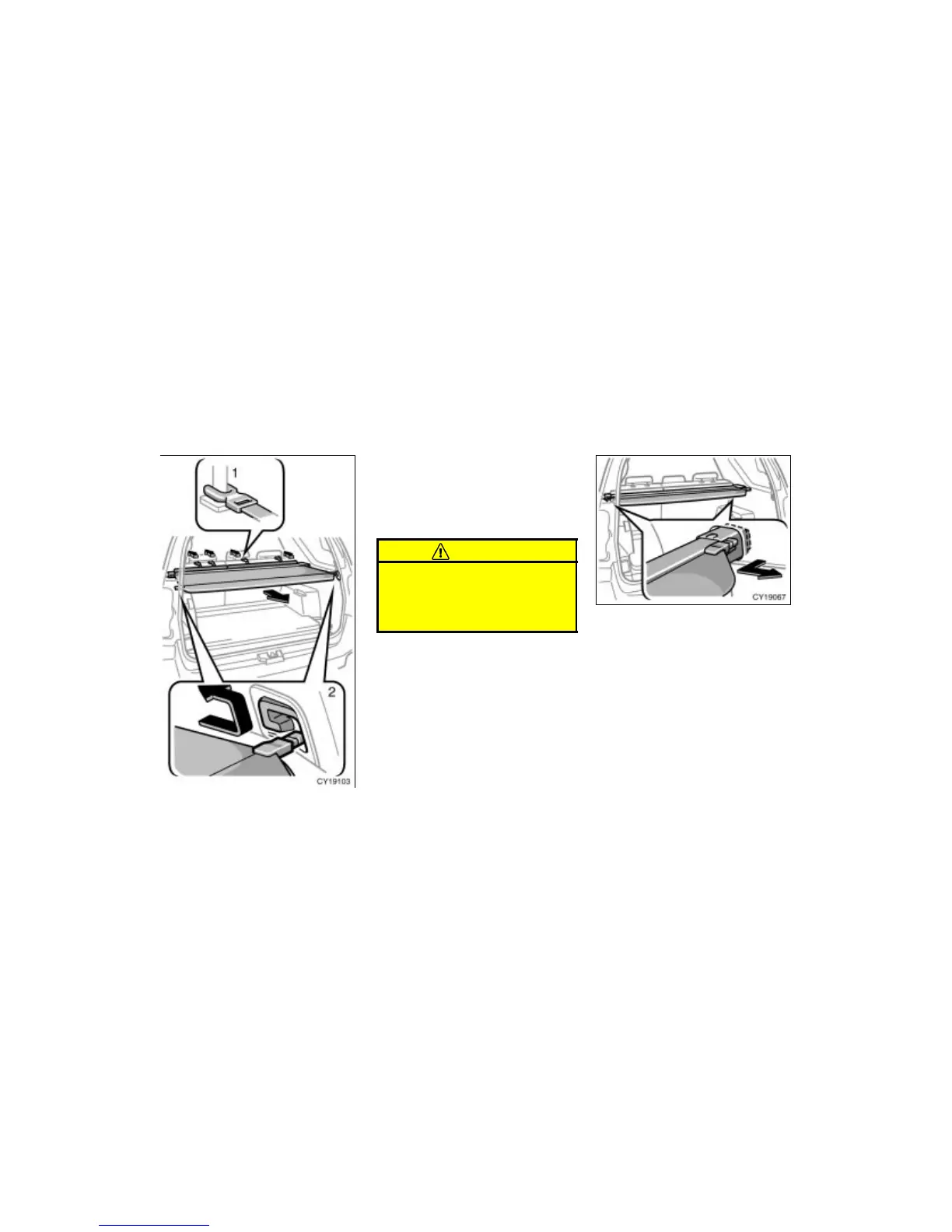
USING LUGGAGE COVER
To use the luggage cover:
1. Attach the front hooks of the lug-
gage cover to the head restraint.
2. Pull out the rear luggage cover and
hook it on the anchors.
CAUTION
Do not place anything on the luggage
cover. Such items may be thrown
about and possibly injure people in
the vehicle during sudden braking or
an accident. REMOVING LUGGAGE COVER
To remove the luggage cover, detach its
hooks from the head restraint. Then,
retract and release both ends, and re-
move the luggage cover.
After you remove the luggage cover, place
it somewhere other than the passenger
compartment. This will prevent passengers
from injury in the event of a sudden stop
or accident.
Luggage cover


 To Next Page
 Loading...