261
3-3. Using the Bluetooth
®
audio system
3
Interior features
PRIUS C_AE
Using the Bluetooth
®
audio/phone
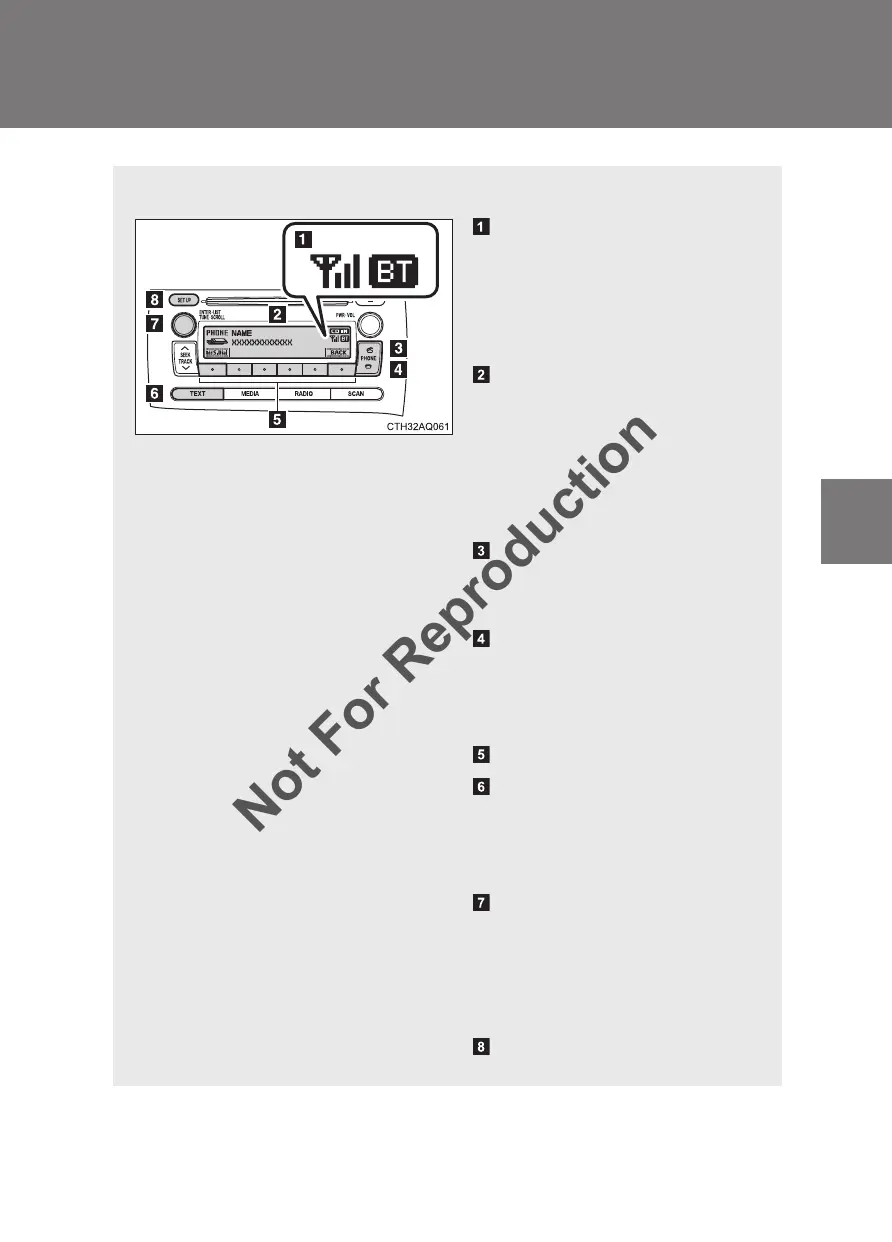
■ Audio unit
Bluetooth
®
connection con-
dition
If “BT” is not displayed, the
Bluetooth
®
audio/phone
cannot be used.
Display
A message, name, number,
etc. is displayed.
Lower-case characters and
special characters cannot
be displayed.
Off-hook switch
Turns the hands-free sys-
tem on/starts a call
On-hook switch
Turns the hands-free sys-
tem off/ends a call/refuses a
call
Selects speed dials
Displays information that is
too long to be displayed at
one time on the display
(press and hold)
Selects items such as menu
and number
Turn: Selects an item
Press: Inputs the selected
item
Displays the set up menu


 To Next Page
 Loading...