37
Chapter 9
Network Security
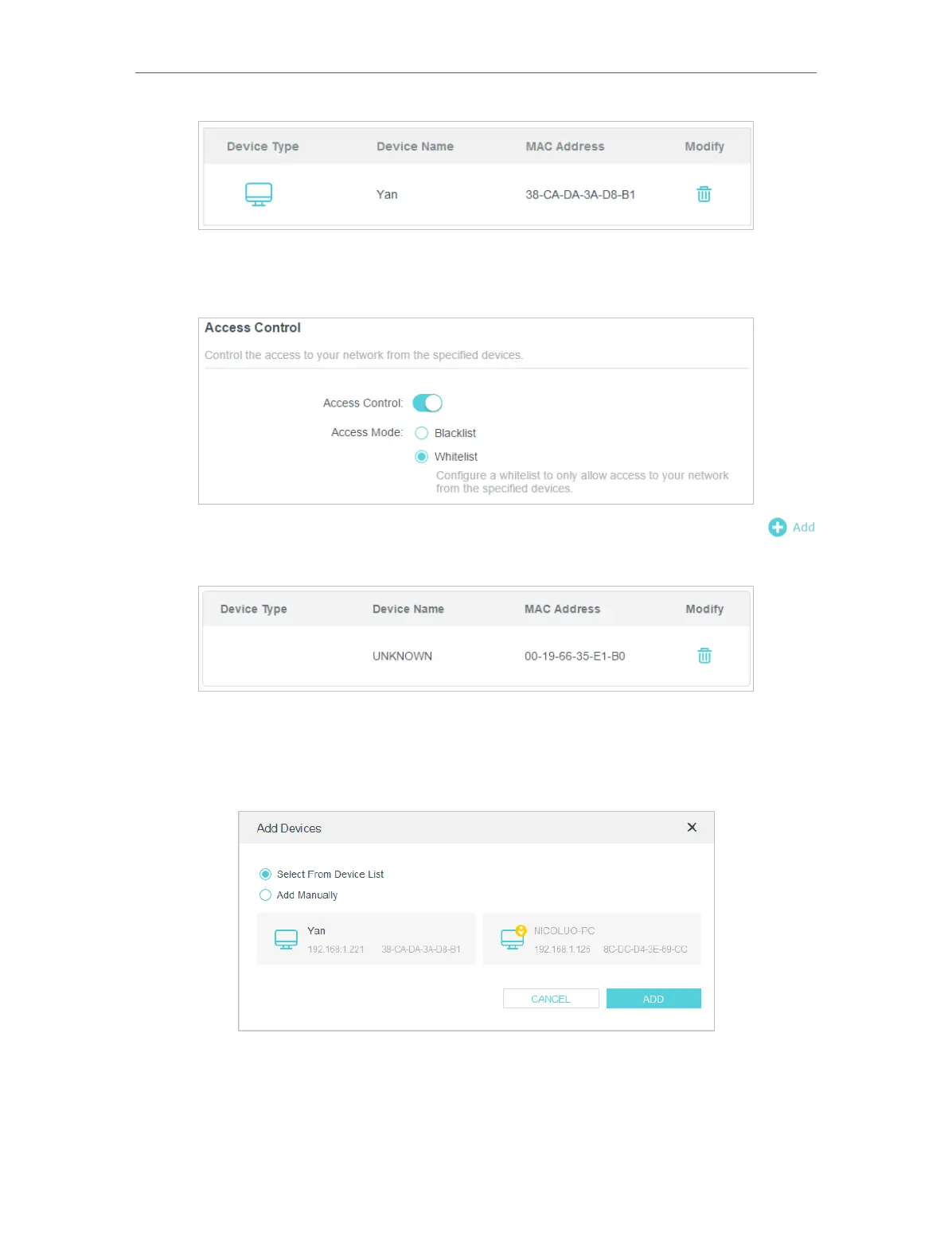
To allow specific device(s):
1 ) Select Whitelist and click SAVE .
2 ) Your own device is in the whitelist by default and cannot be deleted. Click
to add other devices to the whitelist.
• Add connected devices
1 ) Click Select From Device List.
2 ) Select the devices you want to be allowed and click ADD.
3 ) The Operation Succeeded message will appear on the screen, which means the
selected devices have been successfully added to the whitelist.
• Add unconnected devices
1 ) Click Add Manually.


 To Next Page
 Loading...