OPERATIONS
CLIPPER 98630 12/14/98
8
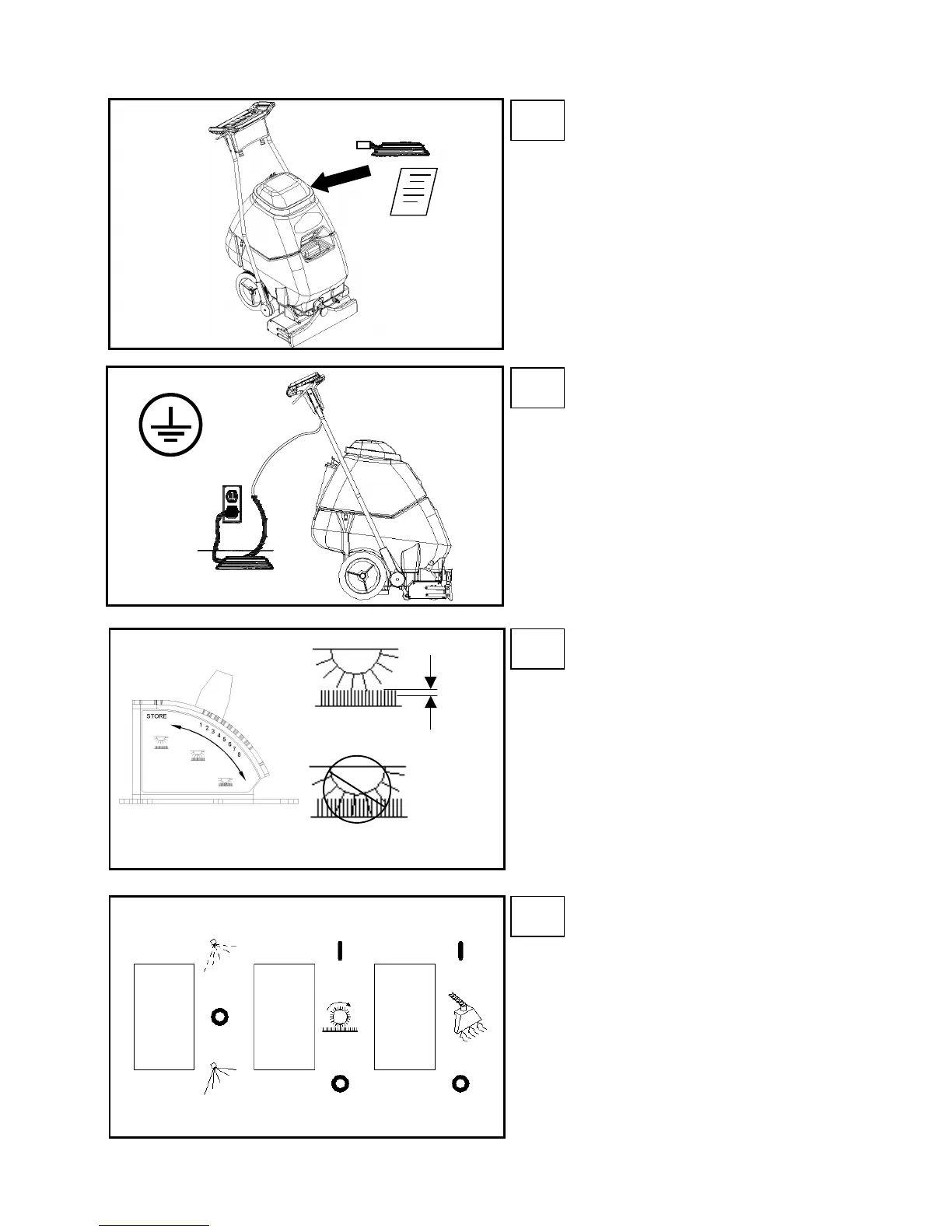
Remove electrical cord and literature
from recovery tank. Fill solution tank
(see filling instructions page 7).
djust brush to proper setting. Note:
For good operation the brush must
skim the carpet. If circuit breaker
trips raise brush to prevent damage
to motor or carpet.
Plug cord into grounded outlet. Note:
Be sure dome is seated on recovery
tank, and float shut-off is installed
correctly.
Turn on brush and vacuum motor
switches (“ON”=“I”). Turn on solution
switch for continuous spray or set
switch to intermittent to allow use of
trigger switches.
STEP
1
STEP
2
STEP
3
STEP
4
CORRECT
INCORRECT
1/8in
(3mm)
SOLUTION VACUUM
CONT
INT
BRUSH
ONON


 To Next Page
 Loading...