Special features
4-6
4
speed indicator “ ”. The cruise
control indicator “ ” will also
turn green.
If the cruise control indicator “ ”
comes on in amber, have a Yamaha
dealer inspect the vehicle.
Adjusting the set cruising speed
While the cruise control system is ac-
tive, press the “RES/+” side of the
cruise control setting switch to in-
crease the set cruising speed or the
“SET/–” side to decrease the set
speed. Both the vehicle speed and the
speed shown in the set speed
indicator “ ” will change accordingly.
Pressing the setting switch once will
change the set speed in increments of
1.0 km/h (1.0 mi/h). Hold down the
“RES/+” or “SET/–” side of the cruise
control setting switch to increase or
decrease the speed continuously until
the switch is released.
You can also manually increase your
traveling speed using the throttle. After
you have accelerated, you can set a
new cruising speed by pressing the
“SET/–” side of the setting switch. If
you do not set a new cruising speed,
when you return the throttle grip, the
vehicle will decelerate to the previously
set cruising speed.
Deactivating the cruise control sys-
tem
Perform any of the following actions to
deactivate the cruise control system
and place it on standby. When the sys-
tem enters standby, both the cruise
control indicator “ ” and the set
speed indicator “ ” will lose green
status.
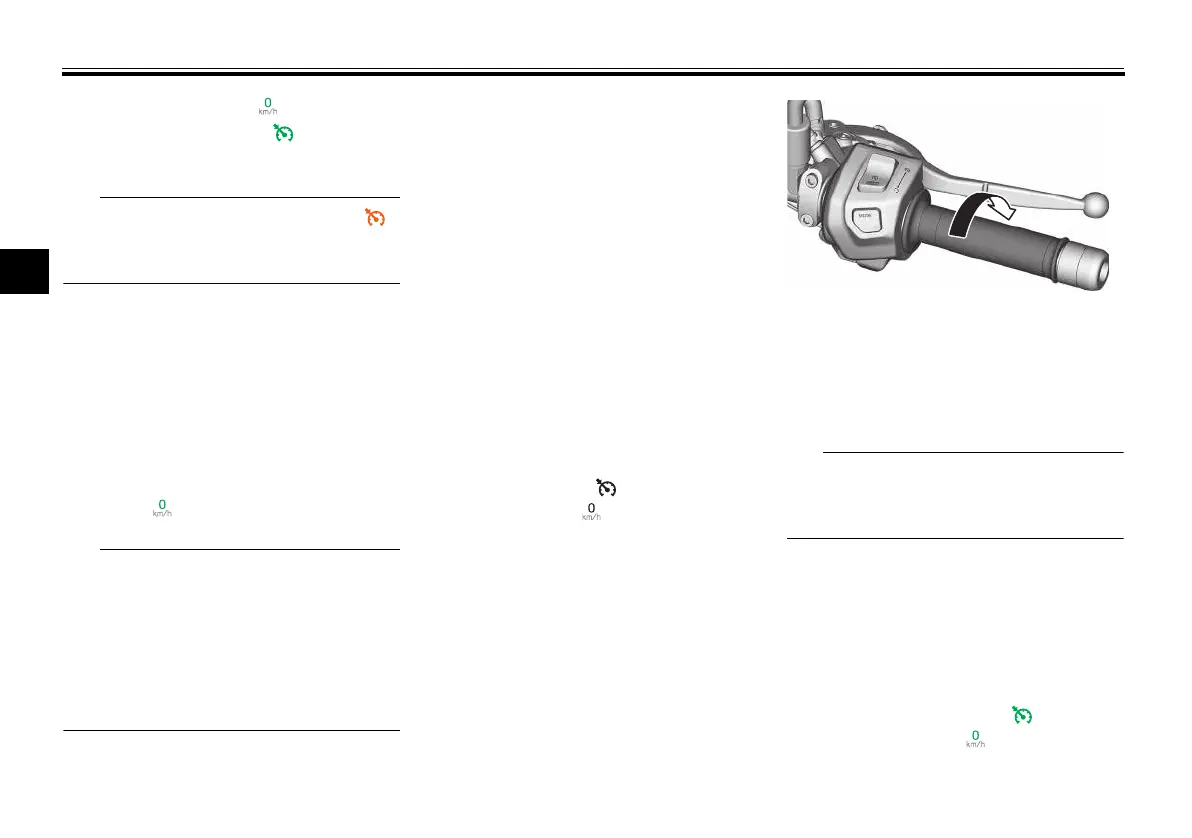
Turn the throttle grip past the fully
closed position in the deceleration
direction.
Apply the front or rear brake.
Disengage the clutch.
Shift gears.
Traveling speed decreases as soon as
the cruise control system is deactivat-
ed; unless the throttle grip is turned.
Using the resume function
Press the “RES/+” side of the cruise
control setting switch to reactivate the
cruise control system from standby.
The traveling speed will return to the
previous set cruising speed. Both the
cruise control indicator “ ” and the
set speed indicator “ ” will turn green.
1. Deceleration direction
UBMEE0E0.book Page 6 Thursday, March 7, 2024 10:23 AM


 To Next Page
 Loading...