31
TIMER FUNCTION
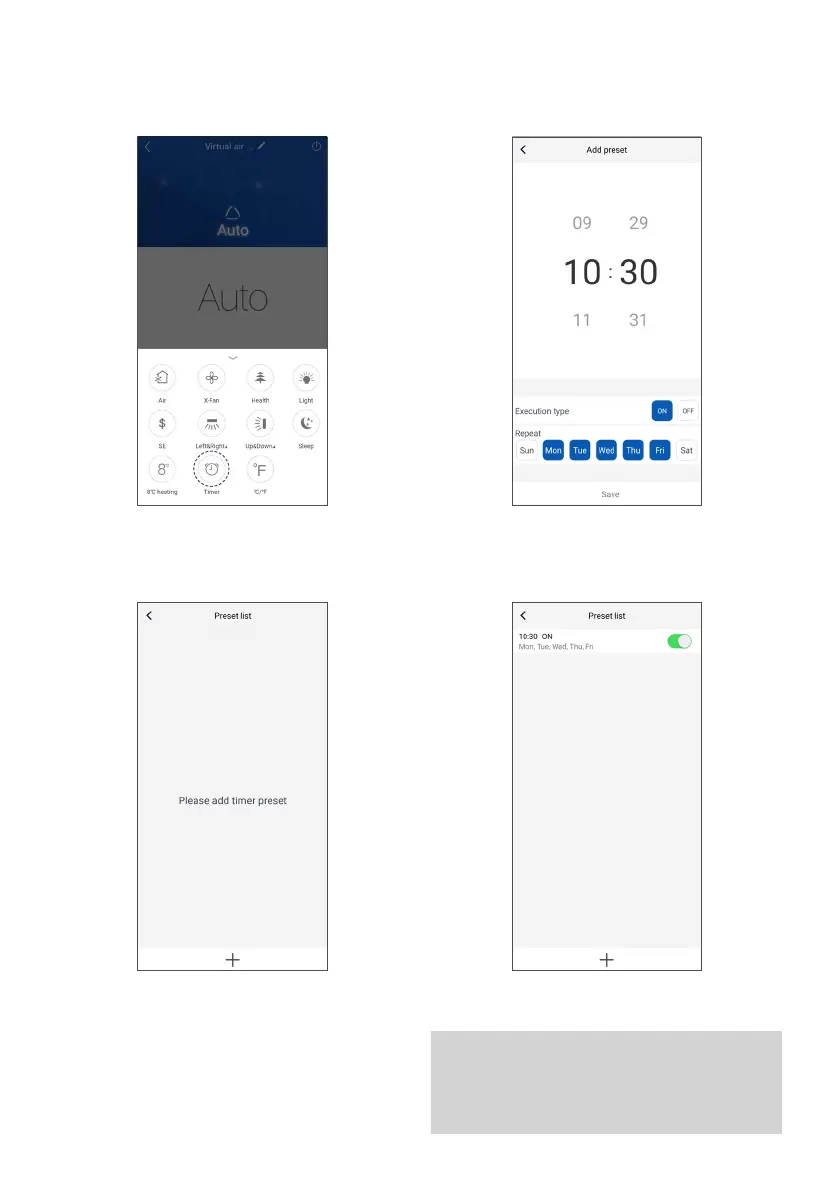
The timer is used to set the period of unit operation,
hourly or daily. To enter timer settings, tap the
corresponding icon.
Then tap the “+” icon at the bottom of the screen. Returning to the "Preselection list", it is possible to view
the set timers and activate them or turn them off by
tapping the switch. In this case, the turn-on timer will
be enabled.
It is now possible to set the hours and days the unit
switches on and off. Once the operations are complete,
tap “Save”.
WARNING
Two separate timers must be created for turning
on and off: one for turning on, the other for
turning off.


 To Next Page
 Loading...

