6
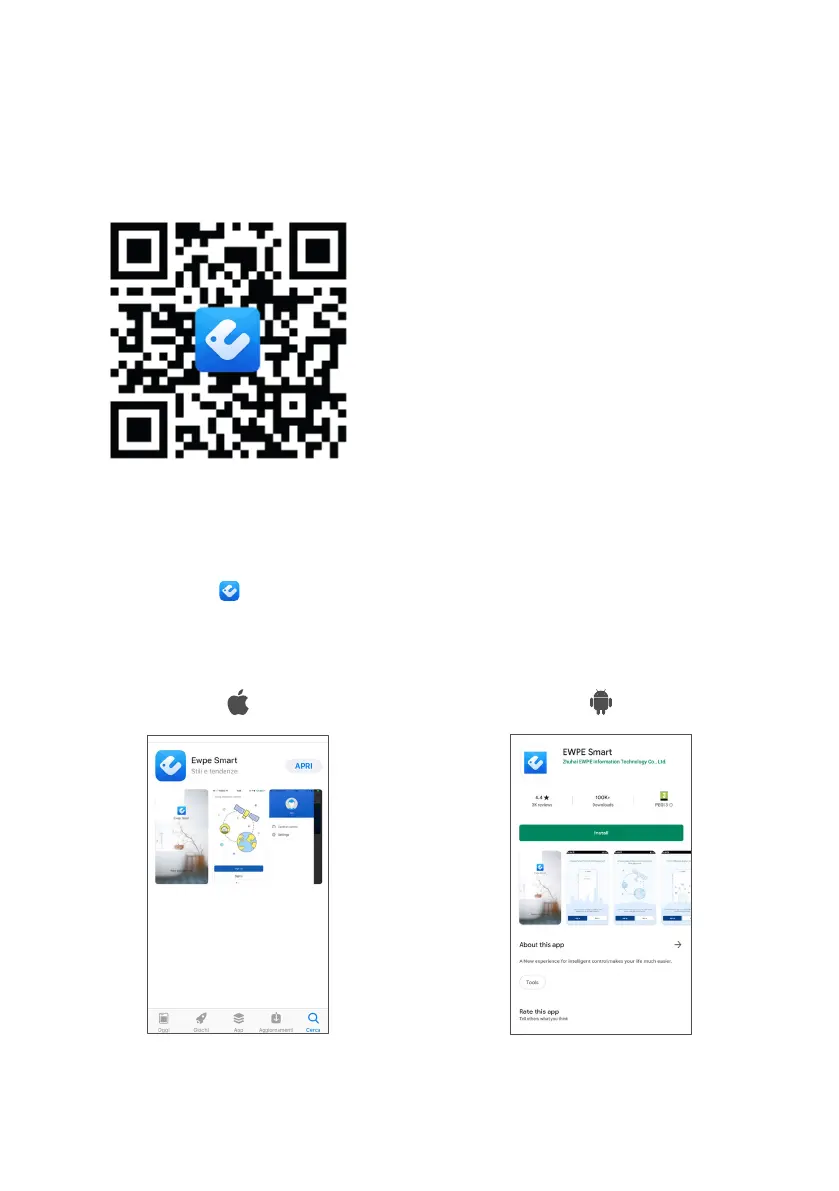
METHOD 1
In order to scan the QR Code, you will need an
application (designed by a third party) that can read it.
Activate the application of the QR reader, and focus the
camera on the code.
METHOD 2
1. Access the Store from your device:
• App Store - for Apple devices.
• Google Play - for Android devices.
2. To perform the search, key in: “Ewpe Smart”.
3. Scroll through the various apps that appear until you
find the following icon .
4. Install the APP.
Example of the screen on an iOS device Example of the screen on an Android device
UPDATING THE APP
Depending on the settings of your Store, the update may be automatic or manual.
If the update needs to be performed manually, check regularly to see if there are new versions.
DOWNLOADING AND INSTALLING THE “EWPE SMART”
APP VIA A SMARTPHONE OR TABLET


 To Next Page
 Loading...
