4
Note
Charge before using for the first time. Normally, pressing
and holding the Power key will power on the tablet and the
lock screen will be displayed. If the tablet is low on power,
a battery icon will appear indicating that you should charge
the device before use. Only use the charger recommended by TCL
Communication Ltd. and its affiliates.
This tablet can’t be charged through a USB computer connection.
Plug in your charger before using it for the first time.
Number Function
1 Micro-USB connector/Battery charge port
2 Headset connector
3 Microphone
4 Front camera
5 Power key
6 Volume Up/Down
7 MicroSD card
8 Rear camera
9 Speaker
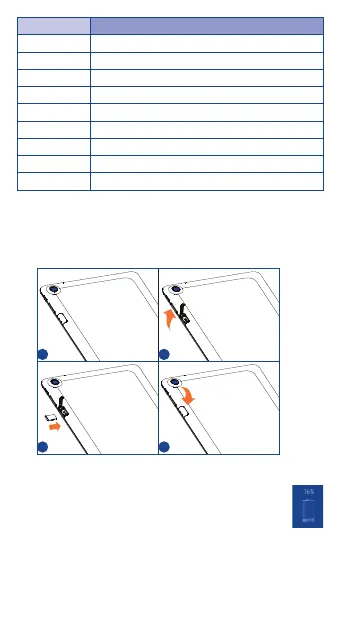
Inserting the microSD card
Be sure to insert your microSD card in the correct direction to avoid
damage. Refer to the following instructions.
1 2
3 4


 To Next Page
 Loading...