OPERATION
Vecto r H® S eries ▪ Operat or’s M anual ▪ M N-46 2 95 ▪ Rev 7 ▪ 6/22
65
How to Create a Recipe
Background Creating a recipe consists of:
▪ Setting the cooking stage(s) parameters (temperature, time, and fan speed);
▪ setting an action step if desired such as adding an ingredient;
▪ naming the recipe;
▪ adding a description to the recipe;
▪ adding a photo to the recipe;
▪ and adding the recipe to a category.
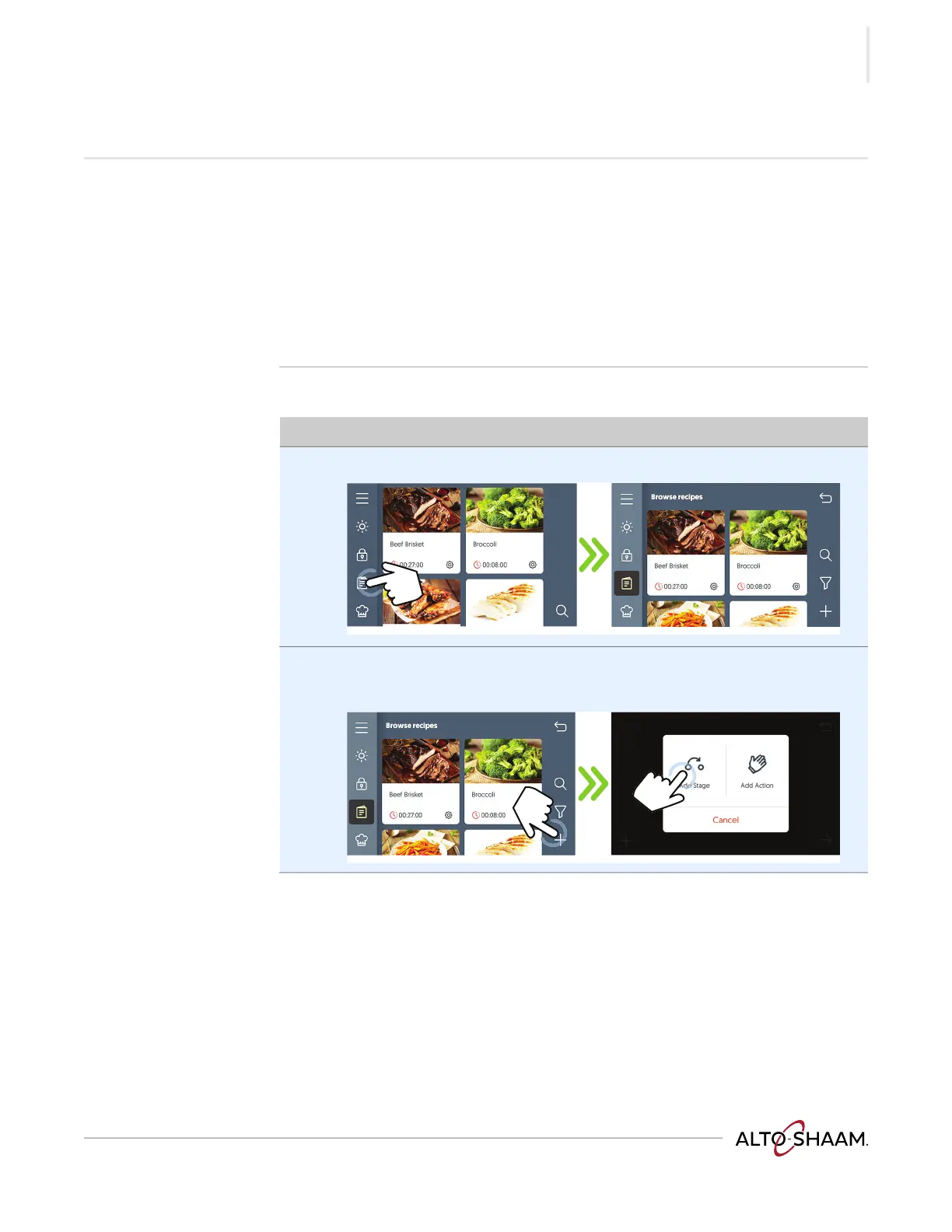
Procedure To create a recipe, do the following.
Step Action
1. Touch the recipes icon a. The browse recipes screen displays.
2. Touch the plus icon b.
Touch “Add Stage” c to add a cooking stage to the recipe.
Continued on next page



 To Next Page
 Loading...