3-16
Chapter 3: Getting Started
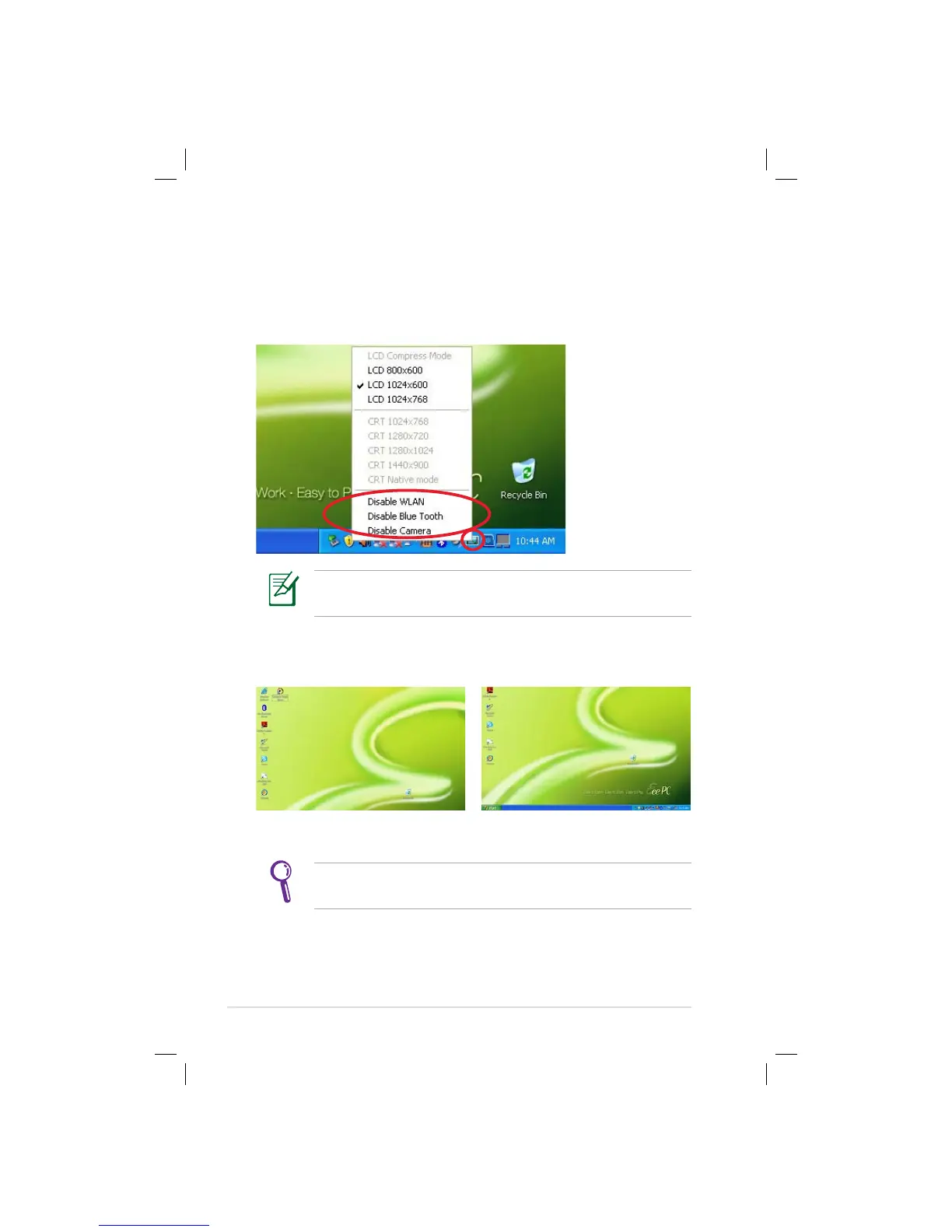
Adjusting the display resolution
Click the ASUS EeePC Tray Utility icon in the Notification area to
adjust the display resolution. Select the resolution based on your
needs.
You need not scroll up and down the screen when you select
LCD Compress Mode.
When you select LCD 1024 x 768, move the pointer to scroll up and
down the screen.
Scroll down to see the bottom of the screen.Scroll up to see the top of the screen..
The CRT-related options are unavailable when there is no
connected external monitors.


 To Next Page
 Loading...