Setting up your computer
This section guides you through connecting the main hardware devices, such as the external
monitor, keyboard, mouse, and power cord, to your computer.
Using the onboard display output ports
Connect your monitor to the onboard display output port.
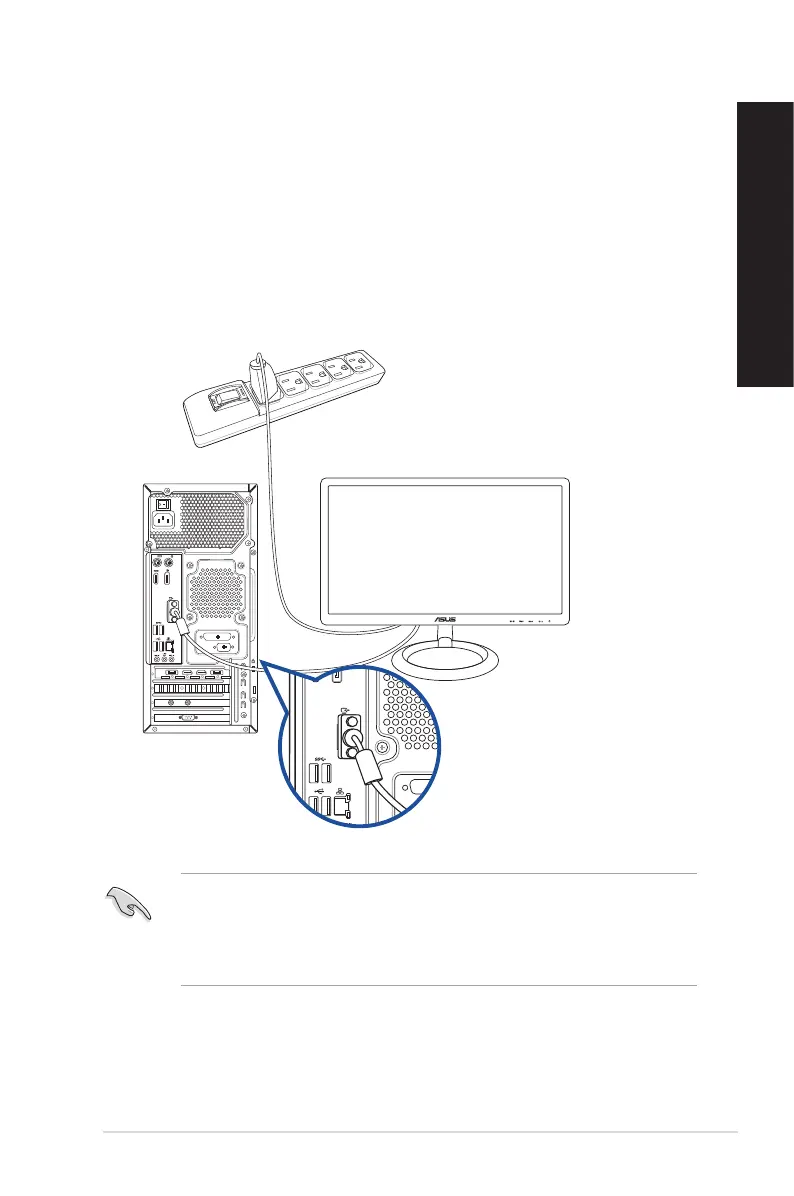
To connect an external monitor using the onboard display output ports:
1. Connect a monitor to a display on the rear panel of your computer.
2. Plug the monitor to a power source.
• If your computer comes with an ASUS Graphics Card, the graphics card is set as the primary
display device in the BIOS. Hence, connect your monitor to a display output port on the
graphics card.
• To connect multiple external monitors to your computer, refer to Connecting multiple
external display in Chapter 2 of this guide for details.
ASUS Desktop PC 17
ENGLISH
ENGLISH


 To Next Page
 Loading...