5251
The Universal Sound
LRx 1.1k
Owner’s manual
The amplifier can be turned
on through Speaker ON
function only when low level
inputs are used.
When using high level inputs
or SPK ON function, the amplifier
does not require REM ON
connection and generates
voltage (12 VDC @ 50 mA) at
REM OUT
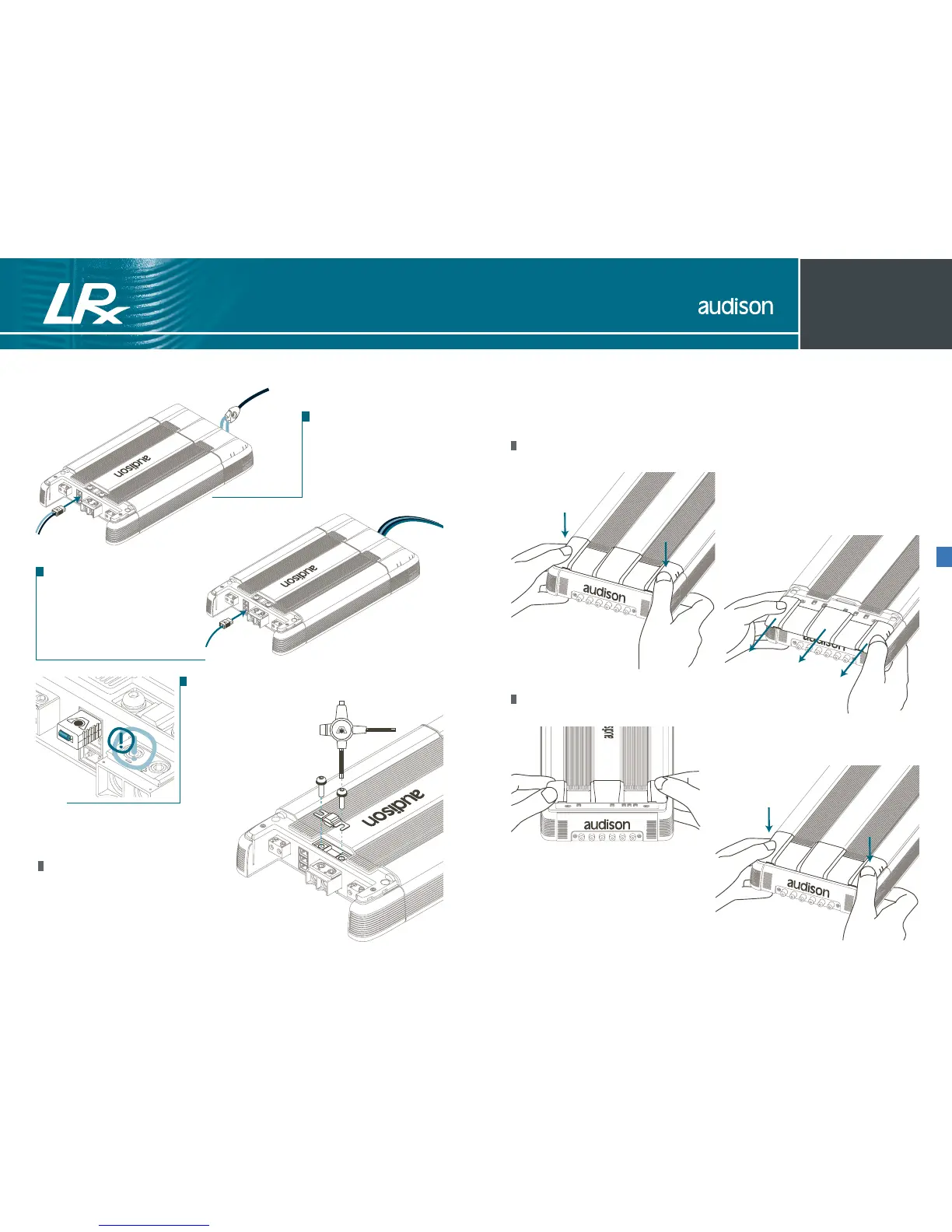
If you configure the amplifier
in 24 dB mono L+R mode
and don’t want to use the
external Volume Control,
you must insert the supplied
SUB VOL connector into
the proper socket of the
amplifier.
How to replace the fuse
After taking off the cover, remove the fuse with the
Audison multispanner supplied with the amplifier.
Auto Turn-ON with SPK ON
Control panel
The panel which contains the amplifier controls is protected by a removable cover.
How to remove the cover
How to reassemble the cover



 To Next Page
 Loading...