Everything under control
76
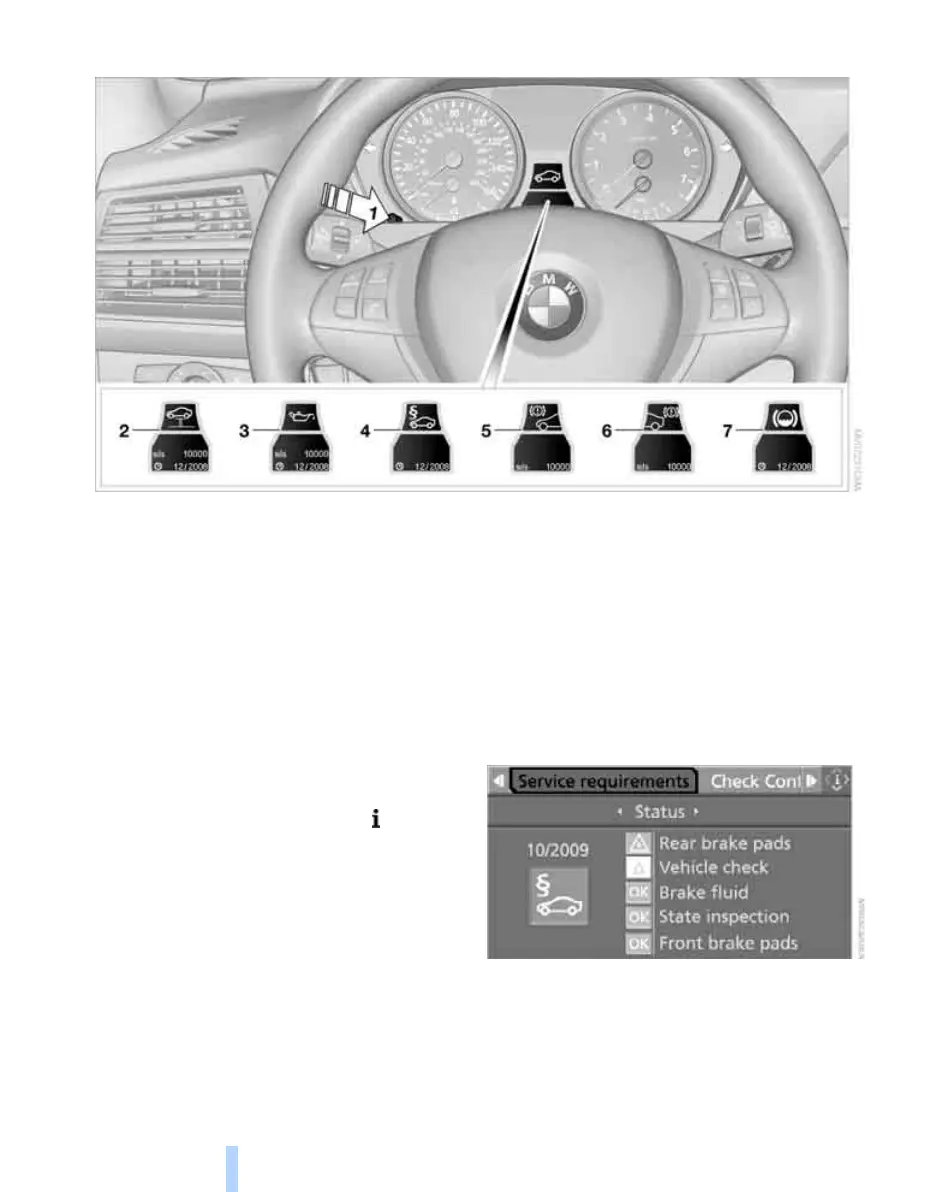
Displaying service requirements
1 Button for selecting display
2 Service requirements
3 Engine oil
4 Legally mandated inspections
*
5 Front brake pads
6 Rear brake pads
7 Brake fluid
The sequence of the displayed maintenance
items can vary. First the data for the next main-
tenance are displayed.
Additional information
You can select a display of more detailed infor-
mation on the maintenance scope on the Con-
trol Display. For operating principle refer to
page 16.
1. Open the start menu.
2. Press the controller to open the menu.
3. Select "Info sources" and press the control-
ler.
4. Select "Service Info" and press the control-
ler.
5. Change to upper field if necessary. Turn the
controller until "Service requirements" is
selected and press the controller.
Online Edition for Part no. 01 41 0 014 248 - © 08/07 BMW AG


 To Next Page
 Loading...