Navigation Driving tips
123
Reference At a glanceControlsCommunications EntertainmentMobility
Destination entry
In entering your destination you can select from
the following options:
> Entering a destination manually, see below
> Selecting destination from the address
book, refer to page 125
> Last destinations, refer to Last destinations,
page 126
> Special destinations, refer to page 126
> Entering a destination on the map, refer to
page 128
> Selecting a home address, refer to
page 126
> Entering a destination by voice com-
mands*, refer to page 129
You can also store a navigation destination on
the programmable memory keys, refer to
page 20.
Enter data only when the vehicle is sta-
tionary, and always give priority to the
applicable traffic regulations in the event of any
contradiction between traffic and road condi-
tions and the instructions issued by the naviga-
tion system. Otherwise, vehicle occupants and
other road users may be endangered.<
Entering a destination
manually
The system's word-matching principle makes it
easier for you to enter the names of towns or
streets. This allows you to enter different spell-
ings and completes your entry automatically so
that stored names can be called up quickly.
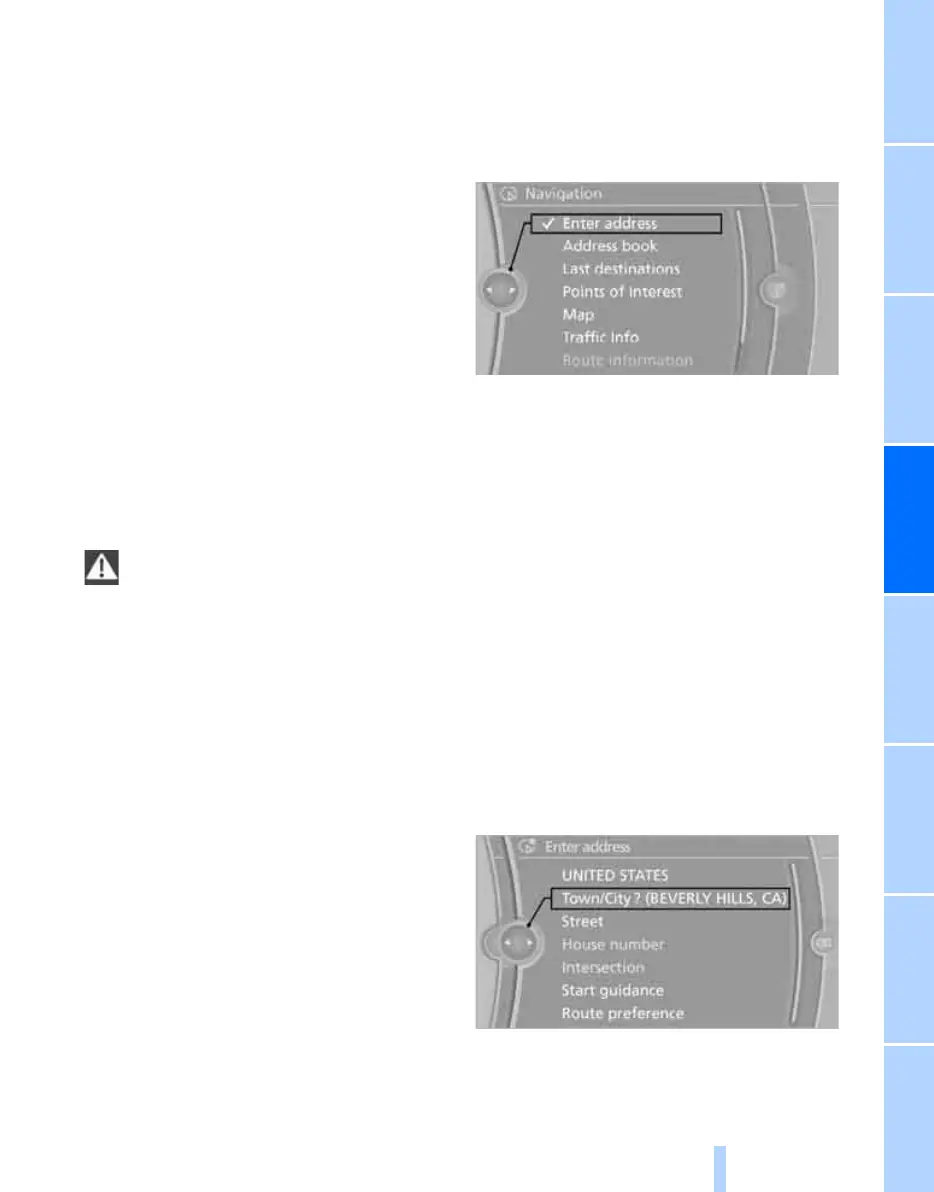
1. "Navigation"
2. "Enter address"
The system also supports you with the follow-
ing features:
> If you do not enter a street, the system will
guide you to the downtown area of a town or
city.
> You can skip the entry of state/province and
locality if the current entries should be
retained for your new destination.
Entering a state/province
1. "Navigation"
2. "Enter address"
3. Select "State/Province" or the displayed
state/province.
Entering a town/city
1. Select "Town/City/Zip Code" or the dis-
played town/city, or select letters.
ba8_E9091_cic.book Seite 123 Mittwoch, 29. Oktober 2008 2:59 14
Online Edition for Part no. 01 41 2 602 099 - © 10/08 BMW AG


 To Next Page
 Loading...











