Controls
75
Reference At a glanceDriving tipsCommunications NavigationEntertainmentMobility
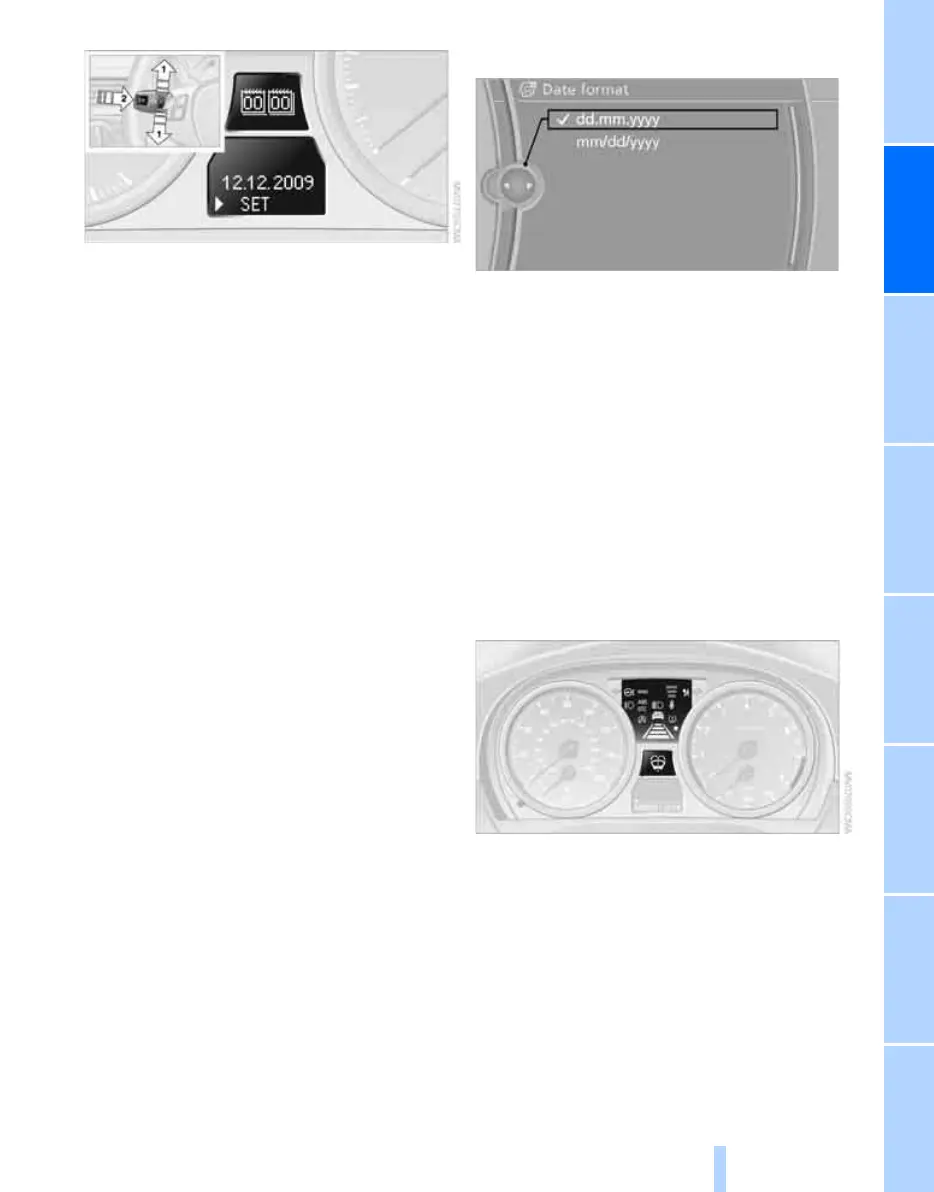
1. Push button 1 in the turn indicator lever up
or down repeatedly until the appropriate
symbol appears in the display, accompa-
nied by the date and the word "SET".
2. Press button 2.
3. Use button 1 to set the day of the month.
4. Press button 2 to confirm the entry.
5. Set the month and the year in the same way.
6. Press button 2.
The system stores the new date.
Via iDrive
iDrive, for operating principle refer to page 16.
1. "Settings"
2. "Time/Date"
3. "Date:"
4. Turn the controller until the desired day is
displayed, and then press the controller.
5. Create the necessary settings for the
month and year.
The date is stored.
Setting the date format
iDrive, for operating principle refer to page 16.
1. "Settings"
2. "Time/Date"
3. "Format:"
4. Select the desired format.
The date format is stored.
Check Control
The concept
The Check Control monitors vehicle functions
and alerts you to any malfunctions in the sys-
tems monitored. A Check Control message
involves the indicator and warning lamps in the
instrument cluster, an acoustic signal if applica-
ble, and text messages on the Control Display.
Indicator and warning lamps
Indicator and warning lamps can light up in a
variety of combinations and colors.
ba8_E9091_cic.book Seite 75 Mittwoch, 29. Oktober 2008 2:59 14
Online Edition for Part no. 01 41 2 602 099 - © 10/08 BMW AG


 To Next Page
 Loading...











