Lamps
98
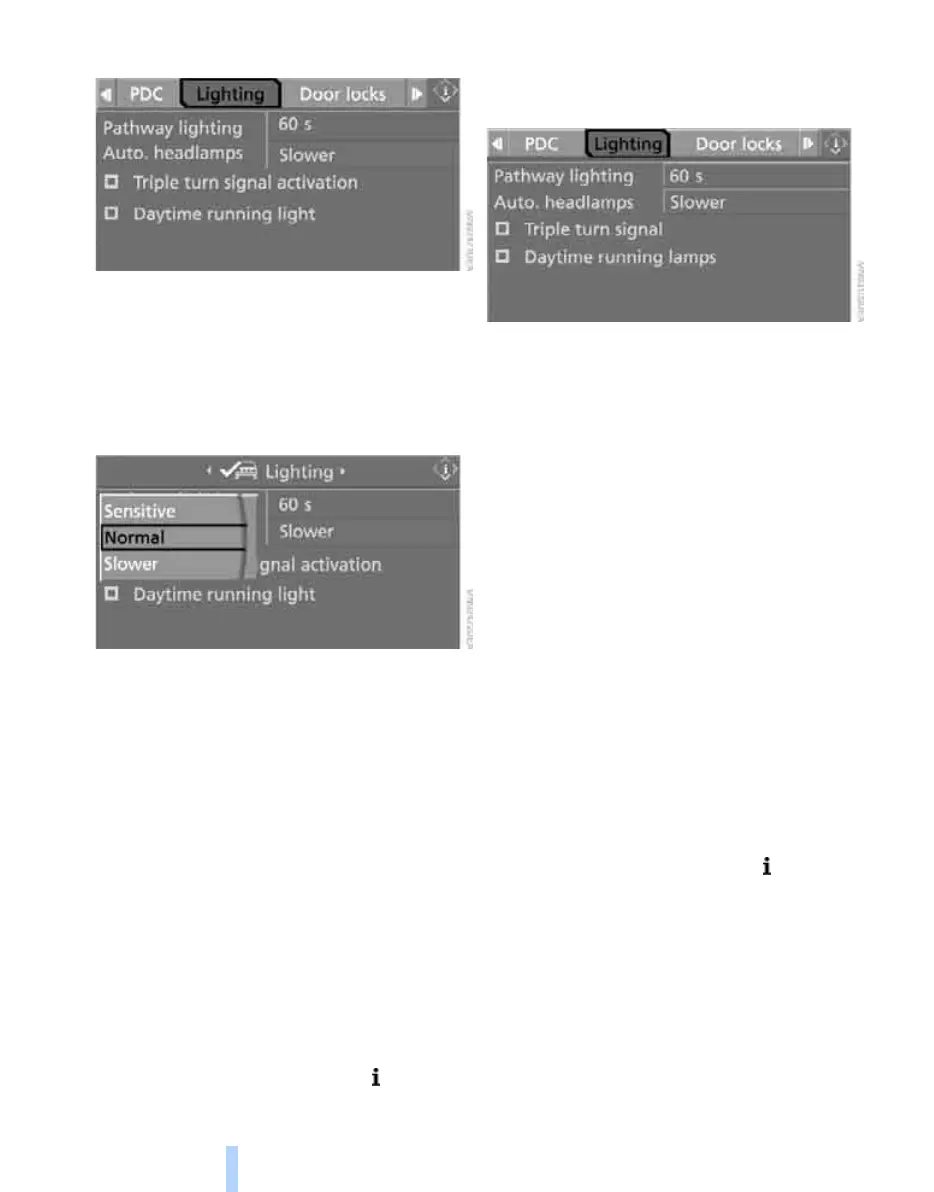
5. Select "Lighting" and press the controller.
6. Select "Auto. headlamps" and press the
controller.
7. Select a menu item:
> "Sensitive"
> "Normal"
> "Slower"
8. Press the controller to apply the setting.
Welcome lamps
If you leave the light switch in the low-beam or
automatic headlamp control position when you
switch off the ignition, the parking lamps and
interior lamps come on for a certain time as
soon as the vehicle is unlocked.
Pathway lighting
If you activate the headlamp flasher after park-
ing the car, with the lights switched off, the low
beams come on and remain on for a certain
time.
You can adjust the operating period or deacti-
vate the function.
1. Open the start menu.
2. Press the controller to open the menu.
3. Select "Settings" and press the controller.
4. Select "Vehicle / Tires" and press the con-
troller.
5. Select "Lighting" and press the controller.
6. Select "Pathway lighting" and press the
controller.
7. Turn the controller to select the corre-
sponding duration.
8. Press the controller to apply the setting.
Daytime running lamps
The daytime running lamps come on in lamps-
off, parking lamps or automatic headlamp con-
trol position. The light output is lower than with
the low-beam headlamps.
If desired, the light switch can remain in auto-
matic headlamp control position. The exterior
lamps are automatically switched off after the
vehicle is parked.
If the light switch remains in parking lamps posi-
tion, the parking lamps are lit after the ignition is
switched off.
Activating/deactivating daytime
running lamps*
1. Open the start menu.
2. Press the controller to open the menu.
3. Select "Settings" and press the controller.
4. Select "Vehicle / Tires" and press the con-
troller.
5. Select "Lighting" and press the controller.
ba8_E9293_US.book Seite 98 Montag, 6. November 2006 1:48 13
Online Edition for Part no. 01 41 0 013 015 - © 11/06 BMW AG


 To Next Page
 Loading...