Playback
Basic Functions
35
Magnifying Photos during Playback
During playback, still images can be
magnified up to 5 times.
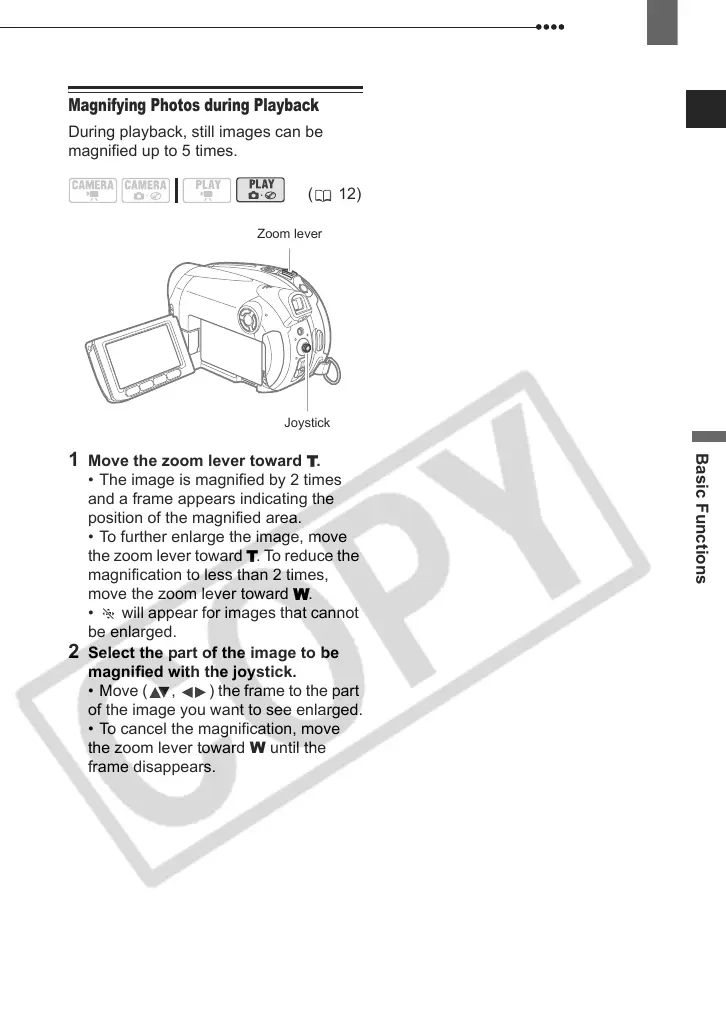
1 Move the zoom lever toward T.
• The image is magnified by 2 times
and a frame appears indicating the
position of the magnified area.
• To further enlarge the image, move
the zoom lever toward T. To reduce the
magnification to less than 2 times,
move the zoom lever toward W.
• will appear for images that cannot
be enlarged.
2 Select the part of the image to be
magnified with the joystick.
• Move ( , ) the frame to the part
of the image you want to see enlarged.
• To cancel the magnification, move
the zoom lever toward W until the
frame disappears.
( 12)
Zoom lever
Joystick
D121C_NTSC-E.book Page 35 Thursday, January 11, 2007 2:46 PM


 To Next Page
 Loading...








