11
Set Up the Machine
Connect the Power Cord, Turn On the Machine
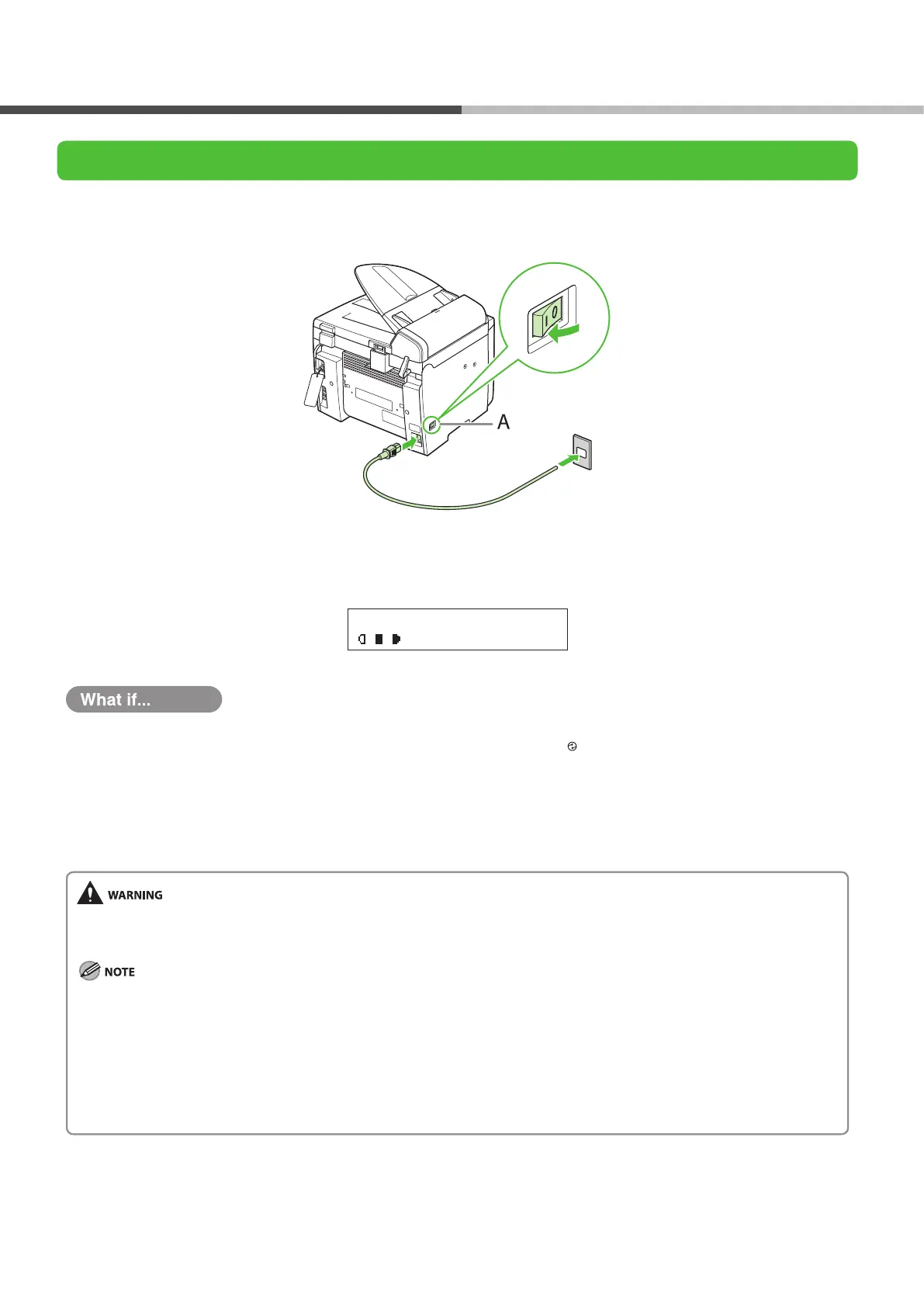
1 Connect the power cord into the rear socket on the back side of the machine and the wall outlet, and
press the [I] side of the main power switch (A) to ON.
2 The machine enters the standby mode.
1 0 0 % A 4
T E X T / P H O T O 1
Ex.
The LCD display turned o:
The machine may enter the sleep mode while you are setting up the machine. Press
[
Energy Saver] to turn the machine back
on and continue the setup.
<CLOSE COVER/TONER COVER> is displayed:
Make sure that the toner cover and scanning platform are closed properly. (See “Install Toner Cartridge,” on p. 6.)
<SET PAPER AGAIN/SET TONER AGAIN> is displayed:
Check the installation of the toner cartridge and the placement of the paper. (See “Install Toner Cartridge,” on p. 6 and “Set Up the
Paper Cassette and Load Paper,” on p.
9.)
This product emits low level magnetic ux. If you use a cardiac pacemaker and feel abnormalities, please move away from this
product and consult your doctor.
If you loaded paper other than A4, make sure to set the correct paper size in the machine. (See Chapter 2, “Document and Paper,”
in the Reference Guide.)
Any data stored in the memory, including received fax documents, will be deleted if you turn o the main power switch of the
machine.
During electrical storms, disconnect the power cord from the power outlet. (Please note that received documents stored in the
machine’s memory may be lost when you unplug the machine.)
Whenever you unplug the machine, wait at least ve seconds before you plug it in again.
Do not plug the machine into an uninterruptible power supply (UPS).
●
●
●
–
–
–
–
–


 To Next Page
 Loading...










