Parts and Their Functions
1-14
1
Before You Start Using This Machine
Internal View
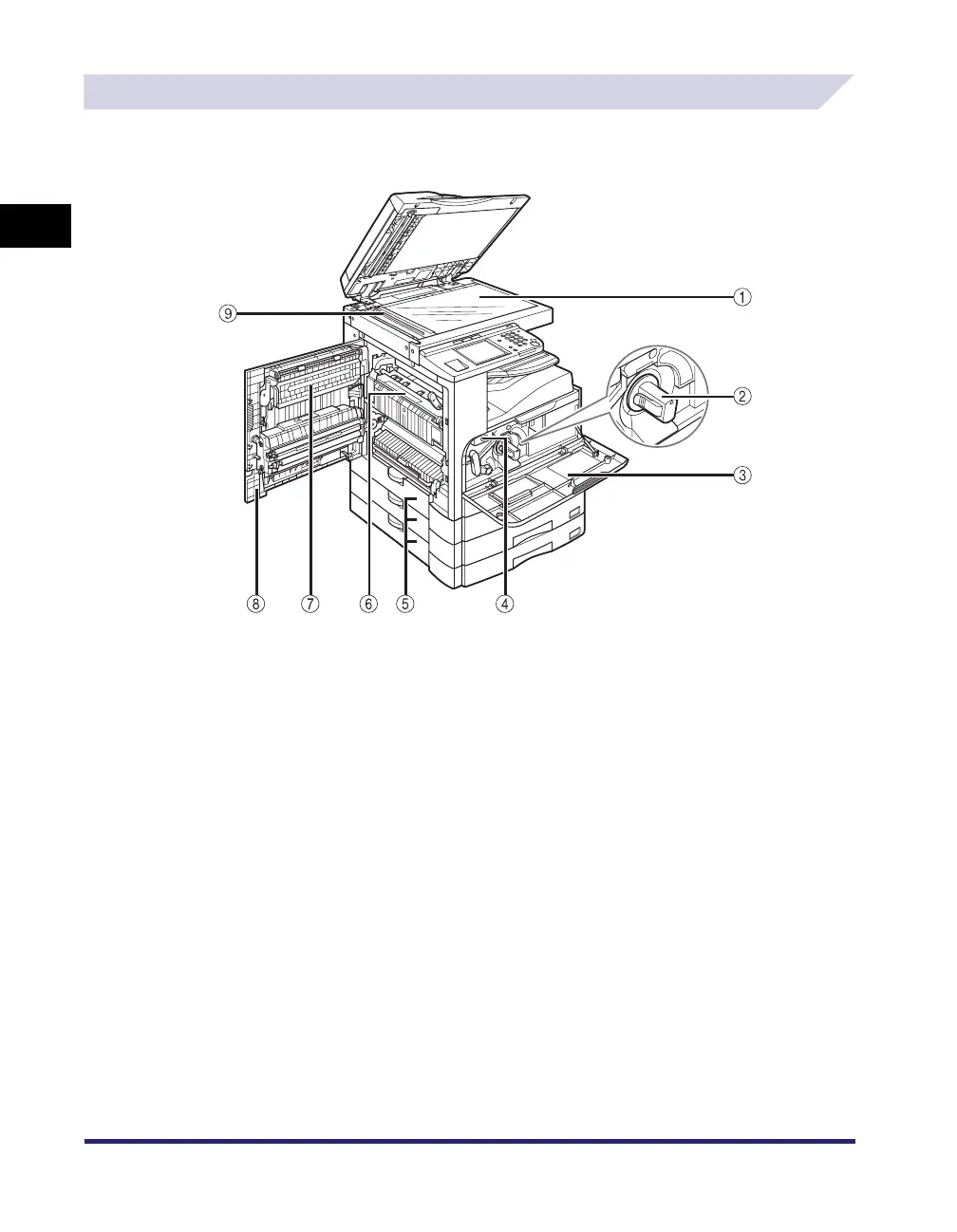
a Platen Glass
Place originals here when scanning books, thick originals,
thin originals, transparencies, etc.
b Toner Cartridge
When toner runs out, pull out the toner cartridge, and
replace it with a new one.
c Front Cover
Open this cover to replace the toner cartridge or drum unit.
(See “Replacing the Toner Cartridge,” on p. 7-22, or
“Replacing the Drum Unit,” on p. 7-28.)
d Drum Unit
When the drum unit is full of waste toner, replace it with a
new one.
e Paper Drawer’s Left Covers
Open these covers when clearing a paper jam in Paper
Drawers 2, 3 and 4.
f Fixing Unit
If a paper jam occurs in the fixing unit, remove the jammed
paper carefully. (See “Fixing Unit (Inside the Main Unit),” on
p. 8-9.)
g Duplex Unit (Duplex Unit-B1)
The duplex unit enables you to use the 2-Sided mode for
copying or printing. (The Duplex Unit-B1 is optional for the
iR2022i/iR2018i. For more information on the optional
equipment, see Chapter 3, “Optional Equipment.”)
h Left Cover
Open this cover when clearing paper jams inside the main
unit.
i Scanning Area
Originals placed in the feeder are scanned here.
The iR2022i with the optional Duplex Unit-B1 and
Cassette Feeding Module-Q1 attached


 To Next Page
 Loading...