Main Power and Control Panel Power
1-16
1
Before You Start Using This Machine
Main Power and Control Panel Power
The machine is provided with two power switches, a main power switch and a control panel
power switch.
How to Turn ON the Main Power
This section explains how to turn ON the main power.
1
Make sure that the power plug is firmly inserted into the power outlet.
WARNING
Do not connect or disconnect the power cord with wet hands, as this may result in
electrical shock.
2
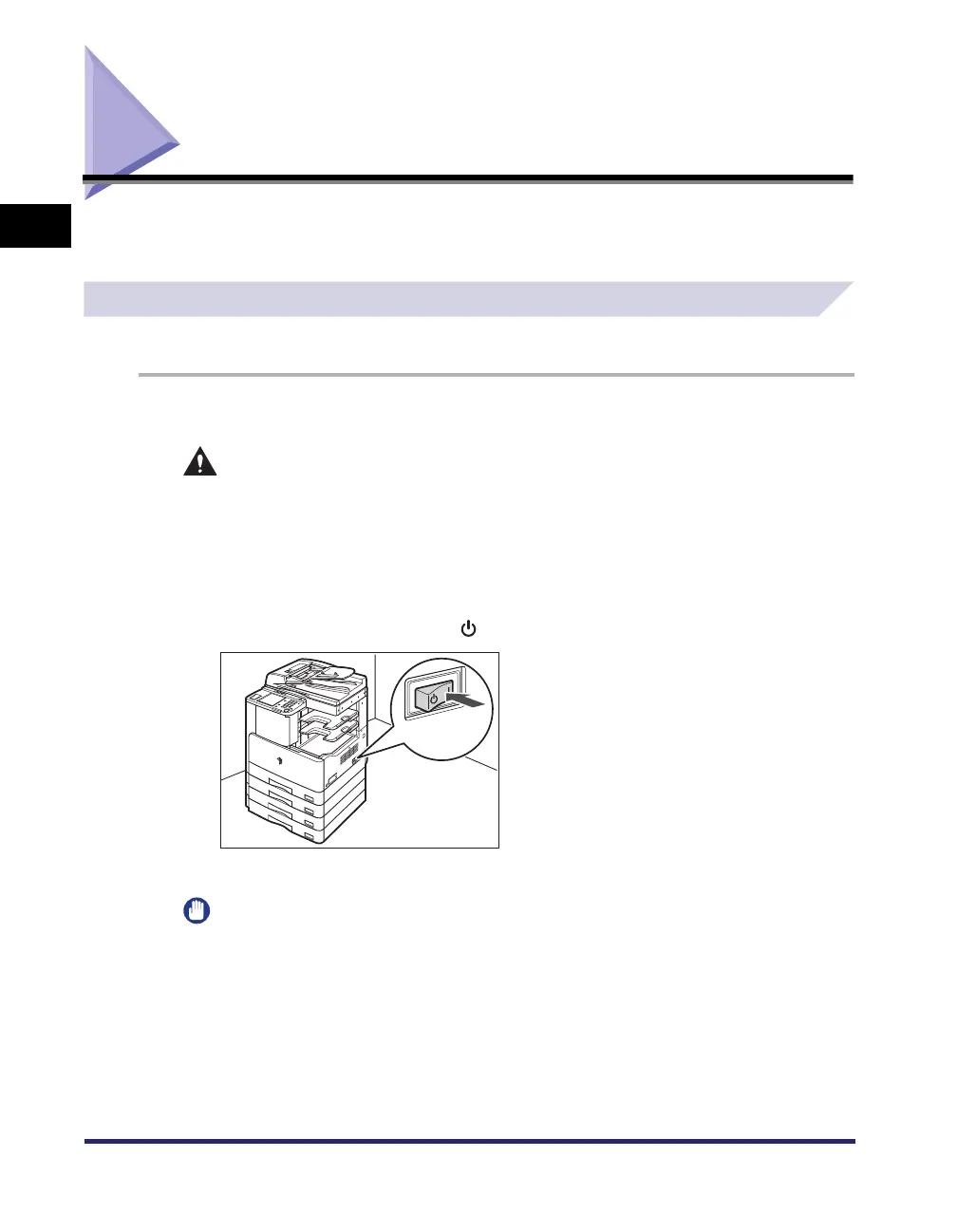
Press the main power switch to “I” side. The main power switch is
located on the right side of the machine.
If you want to turn the main power OFF, first turn the control panel power switch OFF, and then
press the main power switch to the “ ” side.
The main power indicator on the control panel lights when the main power switch is turned ON.
IMPORTANT
If the main power indicator does not light up, make sure that the power cord is firmly inserted into
the power outlet.



 To Next Page
 Loading...