10-70 Vehicle Care
6. Screw the connector (2) to the
canister (1).
7. Slide the plastic cover back on.
Storing the Tire Sealant
and Compressor Kit
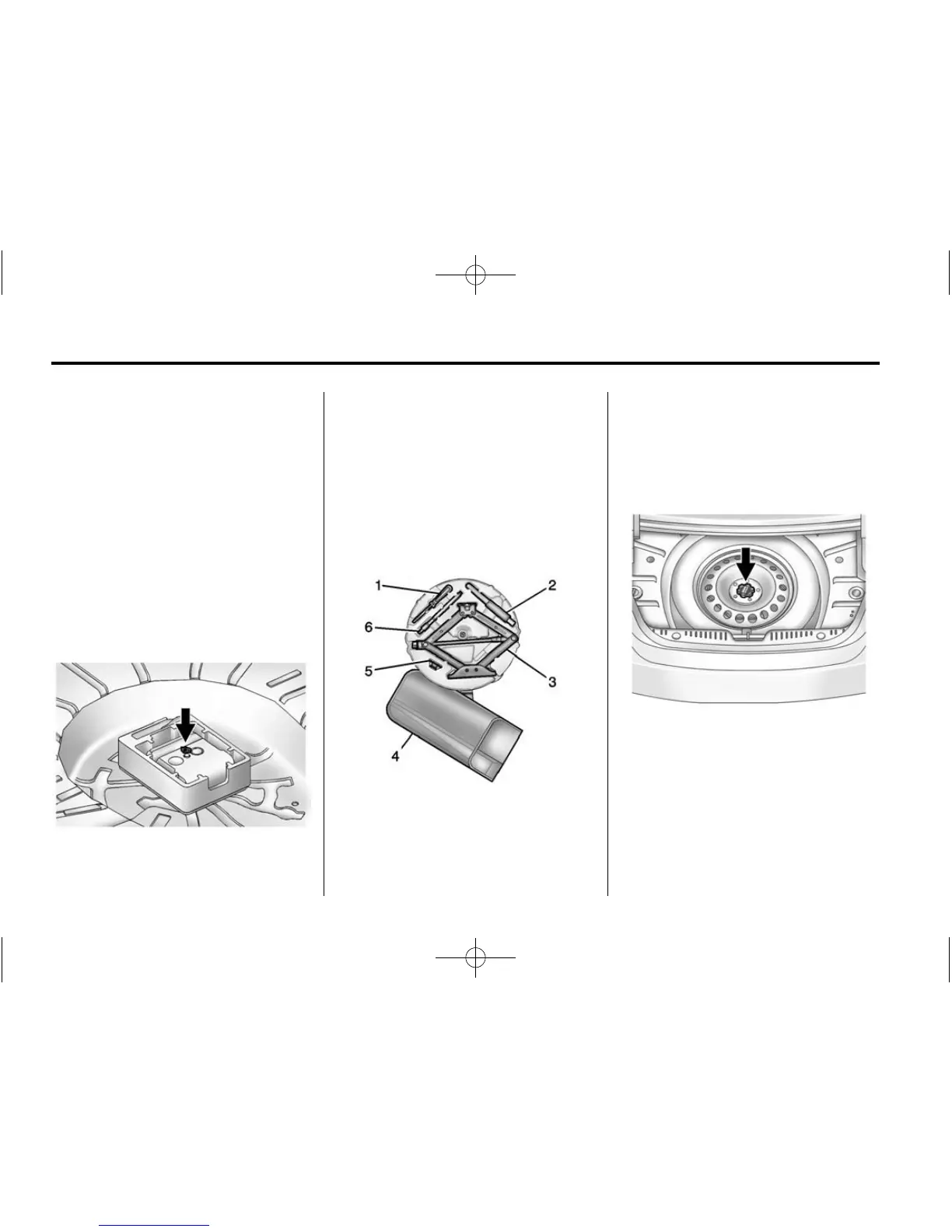
To access the tire sealant and
compressor kit:
1. Open the trunk. See Trunk on
page 2-14.
2. Lift the cover.
3. Turn the wing nut
counterclockwise to remove it.
4. Remove the tire sealant and
compressor kit.
To store the tire sealant and
compressor kit, reverse the steps.
Tire Changing
Removing the Spare Tire and
Tools
1. Screwdriver (If Equipped)
2. Tow Hook (If Equipped)
3. Jack
4. Wrench (In Bag or Container)
5. Trim Removal (If Equipped)
6. Fastener (If Equipped)
To access the spare tire and tools:
1. Open the trunk.
2. Remove the spare tire cover.
3. Turn the retainer nut
counterclockwise and remove
the spare tire. Place the spare
tire next to the tire being
changed.


 To Next Page
 Loading...