Setting Up Your Monitor: Dell 1908WFP Flat Panel Monitor User's Guide
file:///T|/htdocs/monitors/1908WFP/en/ug/setup.htm[10/31/2012 11:33:48 AM]
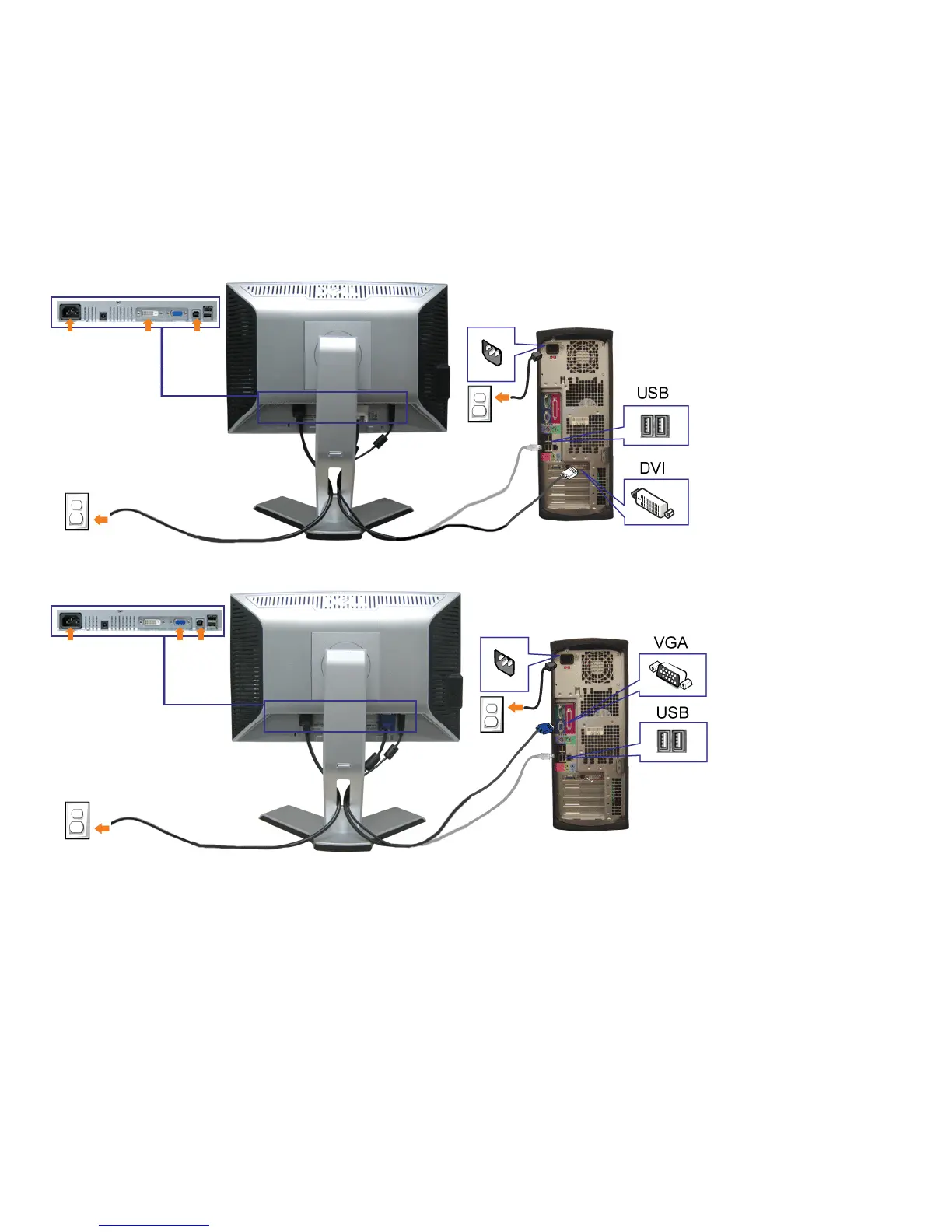
or
1. Turn off your computer and disconnect the power cable.
2. Connect either the white DVI or blue VGA cables to the connectors on the computer and the monitor.
3. Connect the USB cable that was included with your monitor to the computer and the upstream USB connector on the monitor. Once this cable is connected to the
computer and the monitor, you can use the USB connectors on the monitor.
4. Connect any USB devices.


 To Next Page
 Loading...







