14
Display Bezel
Removing The Display Bezel
1. Follow the procedures in
Before Working On Your Computer
.
2. Remove the
battery
.
3. Remove the
keyboard
.
4. Remove the
memory door
.
5. Remove the
optical drive
.
6. Remove the
palm rest
.
7. Remove the
hinge cover
.
8. Remove the
WLAN card
.
9. Remove the
display assembly
.
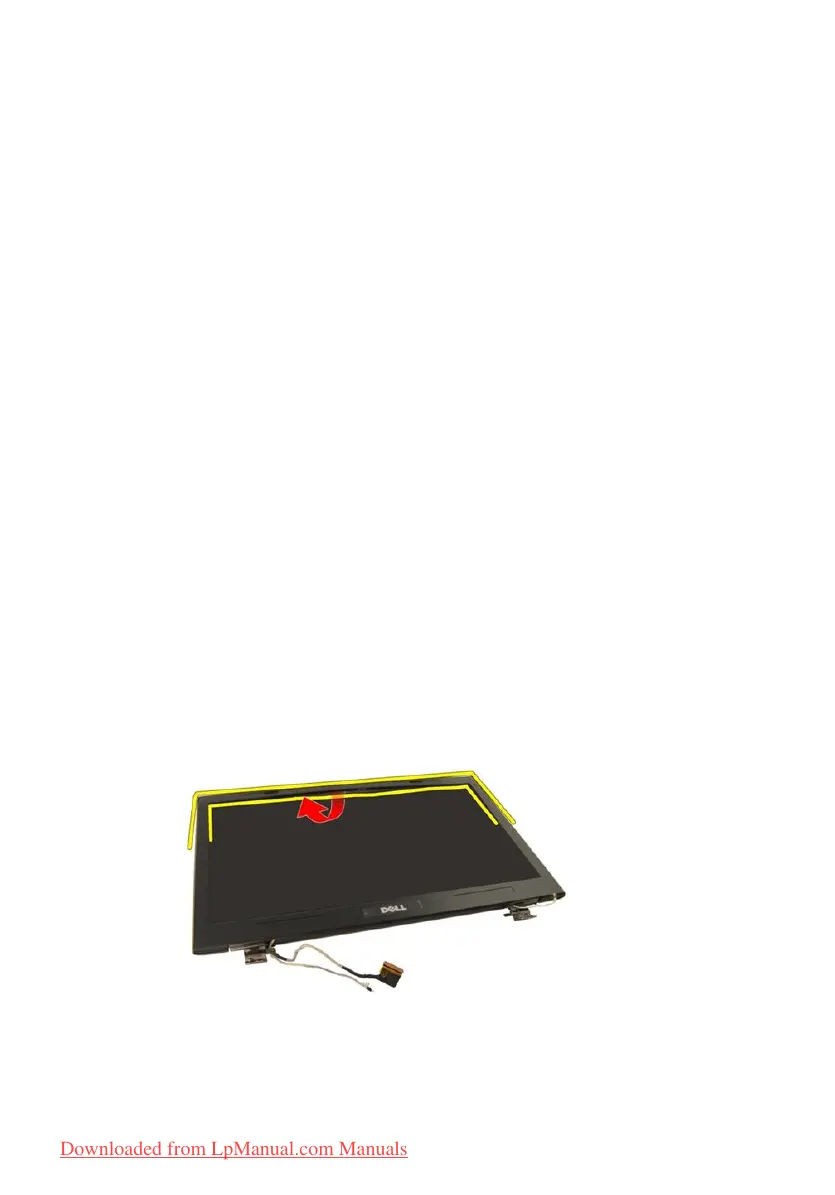
10. Pry up the upper side of the bezel.
11. Pry up the sides of the bezel.
59
Downloaded from LpManual.com Manuals


 To Next Page
 Loading...