EasyManua.ls Logo

Denon AVR-X1200W - Selecting a sound mode

Denon AVR-X1200W
277 pages
Print Icon
To Next Page IconTo Next Page
To Previous Page IconTo Previous Page
Loading...
Selecting a sound mode
.
B
lu
lu
etoo
etooth
PO
POWER
VO
LU
LUME
C
HA
HA
NN
NNEL
MUTE
MUTE
P
AG
AGE
VO
VO
LU
LUME
Bl
Blu
-r
-rayC
BL/SAT
BL/SAT
GA
GAME
D
VD/
VD/
Blu-ra
Blu-ray
AUX
M
ED
EDIA
PLAY
PLAYER
TV
A
AU
DI
DIO
INTE
INTE
RNET
RNET
R
ADI
ADIO
T
UN
UNER
iP
iP
od/
od/USB
T
UN
UNE
TU
TUNE
ECO
ONLIN
ONLINE
MUSIC
ZO
ZONE 2
S
OU
OU
RC
RCE
S
LE
LEEP
ENT
ENTER
I
NF
NFO
OP
OPT
IO
ION
BACK
SET
SETUP
B
lu
lu
etoo
etooth
QUIC
K
K
SE
SELECT
1 2 3 4
S
OU
OU
ND
ND
MO
MODE
PUREMOVIE GAMEMUSIC
ui
PUREMOVIE
MUSIC
GAME
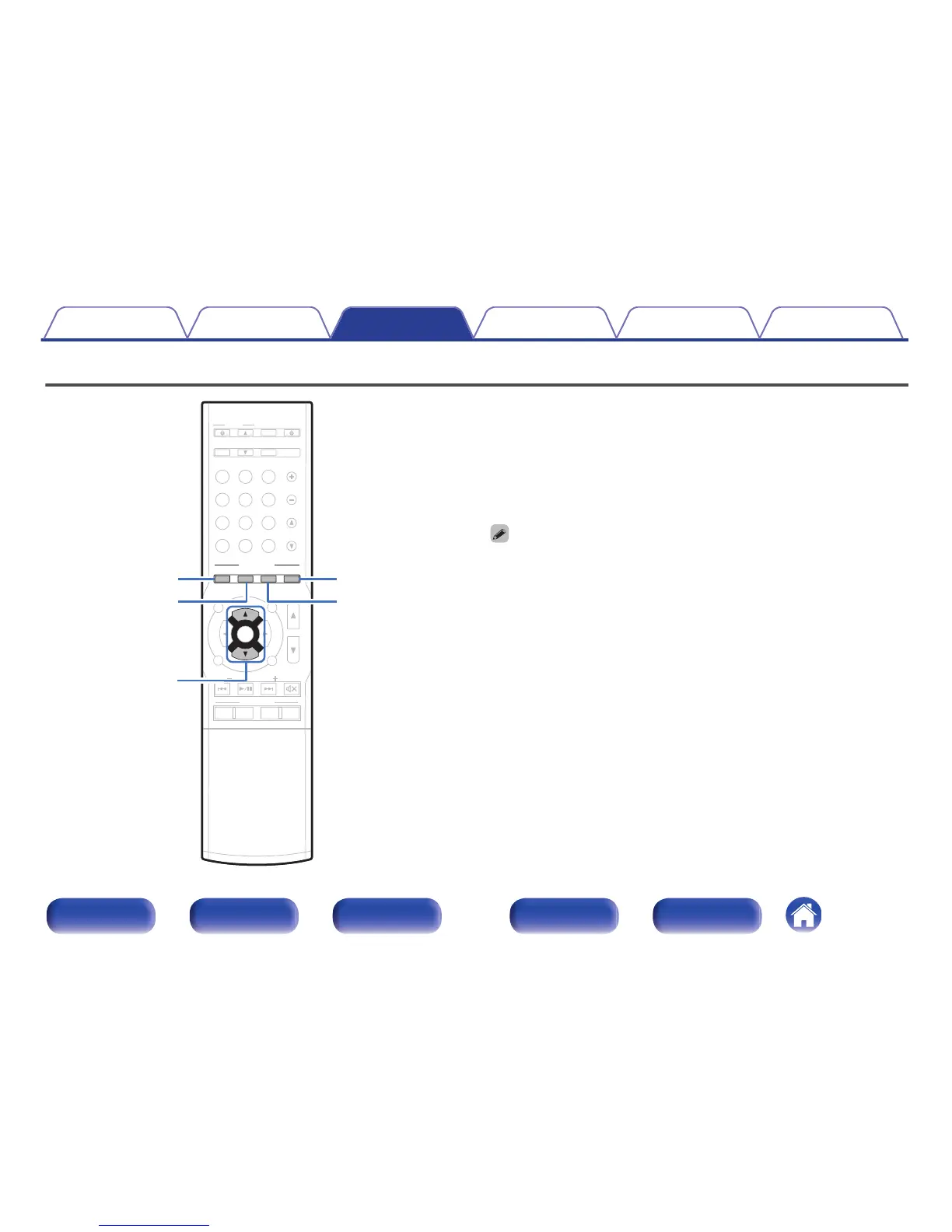
This unit allows you to enjoy various kinds of surround and stereo
playback modes.
Disc formats such as Blu-ray Disc and DVD, as well as being supported by
digital broadcasting, and even by streaming movies and music from
internet-based subscription services.
This unit supports playback of almost all of these multi-channel audio
formats. It also supports surround playback of audio formats other than
multi-channel audio such as 2-channel stereo audio.
0
For audio formats recorded on a disc, see the disc jacket or label.
Contents Connections Playback Settings Tips Appendix
119
Front panel Display Rear panel Remote Index

Table of Contents

Other manuals for Denon AVR-X1200W

Related product manuals