ENGLISH
16
Getting started
Basic connections Basic operation Specifications IndexAdvanced connections Advanced operations TroubleshootingExplanation of terms
B
Bit rate
This expresses the read amount per 1 second of video/audio data
recorded in a disc.
M
MP3 (MPEG AudioPlayer 3)
This is an internationally standardized audio data compression scheme,
using the “MPEG-1” video compression standard. It compresses the
data volume to about one eleventh its original size while maintaining
sound quality equivalent to a music CD.
P
Pure direct
This function enables higher-quality playback of audio signals, by
turning off the display and digital output to eliminate any slight effect
they may have on the audio circuits.
S
Sampling frequency
Sampling involves taking a reading of a sound wave (analog signal)
at regular intervals and expressing the height of the wave at each
reading in digitized format (producing a digital signal).
The number of readings taken in one second is called the “sampling
frequency”. The larger the value, the closer the reproduced sound is
to the original.
Super audio CD
There are three types of Super Audio CDs:
q Single layer discs
Single layer Super Audio CD with just an HD layer.
w Dual layer discs
Super Audio CD with a double HD layer, offering extended
playing time and high sound quality.
e Hybrid discs
Two-layer Super Audio CD with an HD layer and a CD layer.
The signals on the CD layer can be played on a regular CD
player.
Types of Super Audio CDs
Single layer disc Dual layer disc Hybrid disc
HD layer HD layer CD layer HD layer
• What is the HD layer?
The HD layer is a layer of high density signals for Super Audio CDs.
• What is the CD layer?
The CD layer is the layer of signals that can be read on a regular CD
player.
W
WMA (Windows Media Audio)
This is audio compression technology developed by Microsoft
Corporation.
WMA data can be encoded using Windows Media
®
Player Ver.7, 7.1,
Windows Media
®
Player for Windows
®
XP and Windows Media
®
Player 9 Series.
To encode WMA files, only use applications authorized by Microsoft
Corporation. If you use an unauthorized application, the file may not
work properly.
Explanation of terms
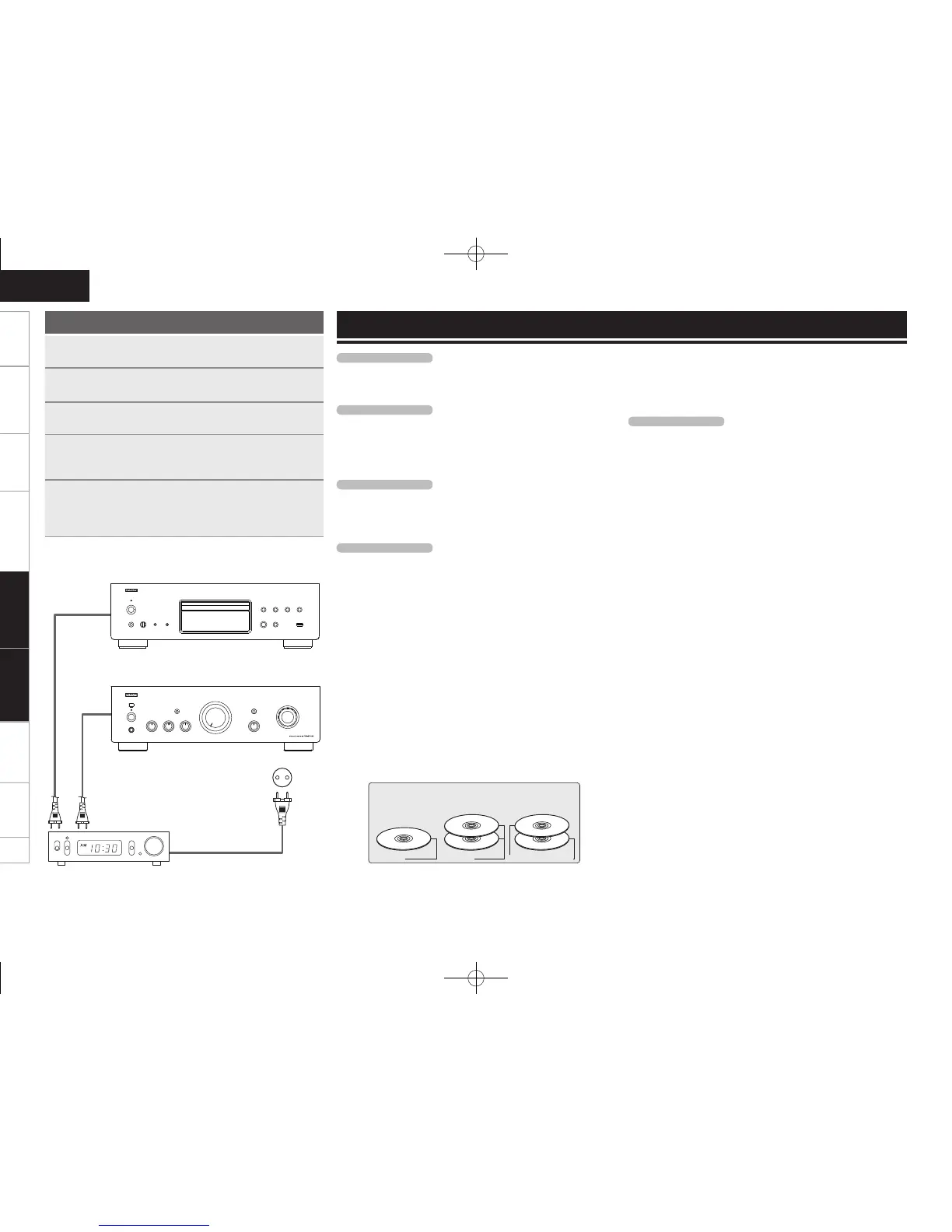
Using the timer play function
1
Turn on the power of the connected components.
2
Switch the amplier’s function to input from the
connected main unit.
3
Load a disc or connect a USB memory device or iPod.
4
Set the audio timer for the desired times.
• Refer also to the owner’s manual of the audio timer.
5
Turn the timer “ON”.
The power of the components connected to the timer turns off.
• When the set time is reached, the power of the different
components automatically turns on and playback starts.
This unit
Timer device
Amplifier
AC outlet (Wall)
Advanced operations Explanation of terms
1.DCD1510AEE2_ENG_009.indd 16 2010/02/24 8:21:08



 To Next Page
 Loading...









