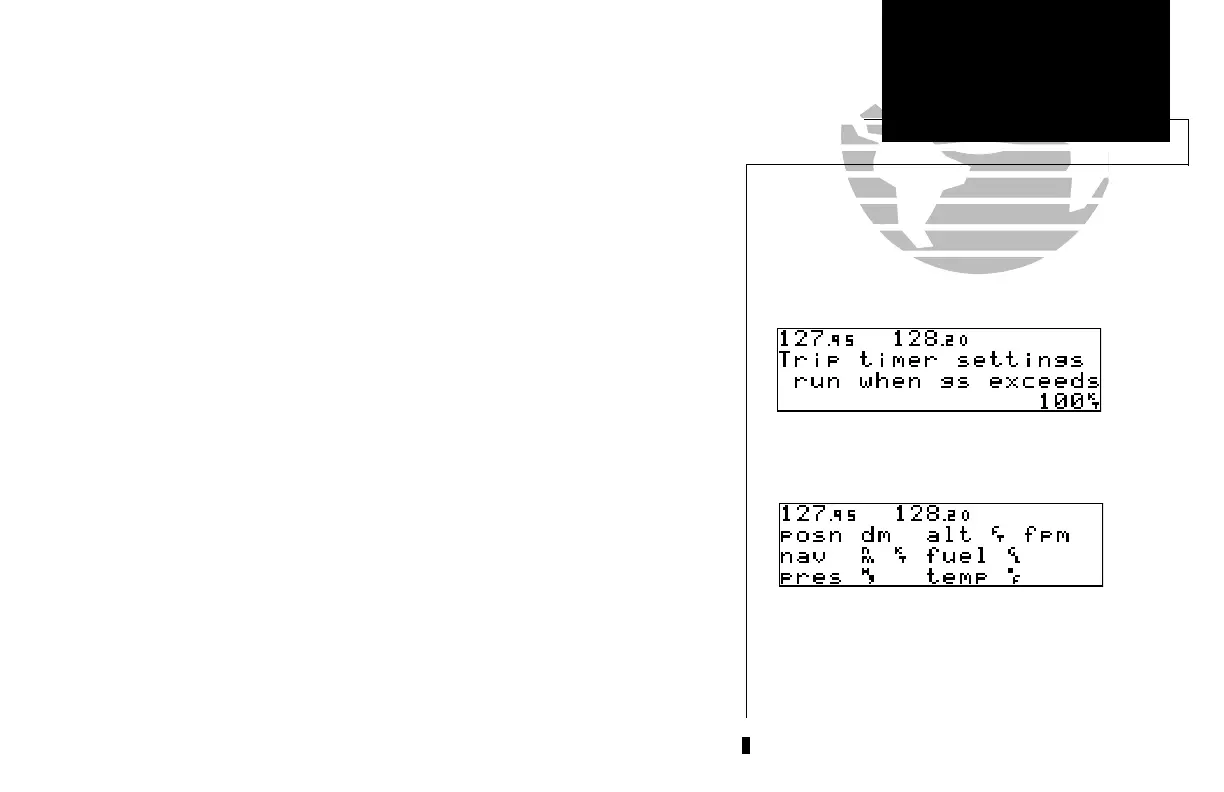
The trip timer provides a running clock on NAV Menu 2 (see page 25), and can be
configured to run when power is on or when your ground speed exceeds a user-defined
minimum.
To change the trip timer settings:
1. Press and hold
M
, and use
O
to display the trip timer settings page.
2. Press
C
twice to activate the cursor.
3. Use
K
to select either ‘pwr is on’ or ‘gs exceeds’.
4. If you choose ‘pwr is on’, press
C
to complete.
5. If you choose ‘gs exceeds’, use
O
to highlight the speed field.
6. Enter the speed using
K
and
O
.
7. Press
E
to accept, and press
C
to complete.
The GNC 250 can be configured to display data in standard or metric units of mea-
sure. These apply to: distance, position, speed, altitude, fuel, pressure and
temperature.
To change the units of measure:
1. Press and hold
M
and rotate
O
to display the nav units page.
2. Press
C
twice and rotate
O
to highlight the field you would like to change.
3. Use
K
to change the unit of measure.
4. Rotate
O
to advance to the next field, or press
C
when finished.
(Continued on the next page.)
75
APPENDIX D
Messages &
Abbreviations
Default Units of Measure Settings.
Trip Timer Settings.
SECTION
6
UNIT SETTINGS
Trip Timer
Units of Measure
250 real 7/14/98 9:33 AM Page 75


 To Next Page
 Loading...