13
STEP 5. Power on the TV
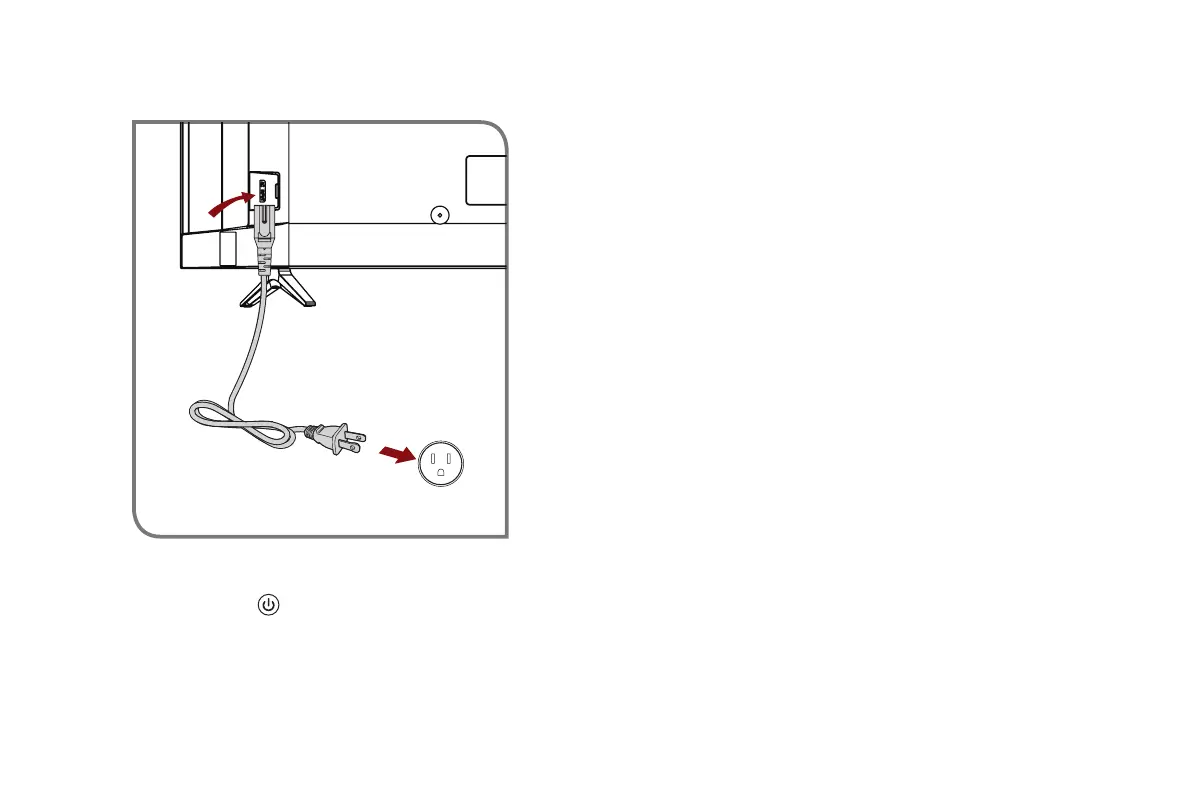
Plug the power cord into a power outlet.
Power Cord
Wall Outlet
Press the
Power button
on the remote to turn on the TV. A
splash screen that shows the logo appears. Next, the Setup Wiz-
ard begins by prompting you to set up the Language, Region and
Time Zone, etc. The Home screen will be your starting point for
navigating the TV
STEP6.CompleteSetupWizard
After the splash screen that shows the logo appears, begin the
setup wizard. Once you’ve completed the setup menu then your
TV will be ready to use.
STEP 7. Begin to Enjoy your TV
Your Smart TV is easy to use and brag-worthy!
Now that you’ve completed the first-time setup menu, the
Home
screen is your starting point for navigating the TV. Gone are
the days where your TV only provides one way for you to be
entertained. This showpiece provides you the convenience
of watching a program on a live channel, accessing Video on
Demand to watch a movie and many other entertainment options.
Using your remote, press the
Home
button to begin enjoying your
TV.



 To Next Page
 Loading...