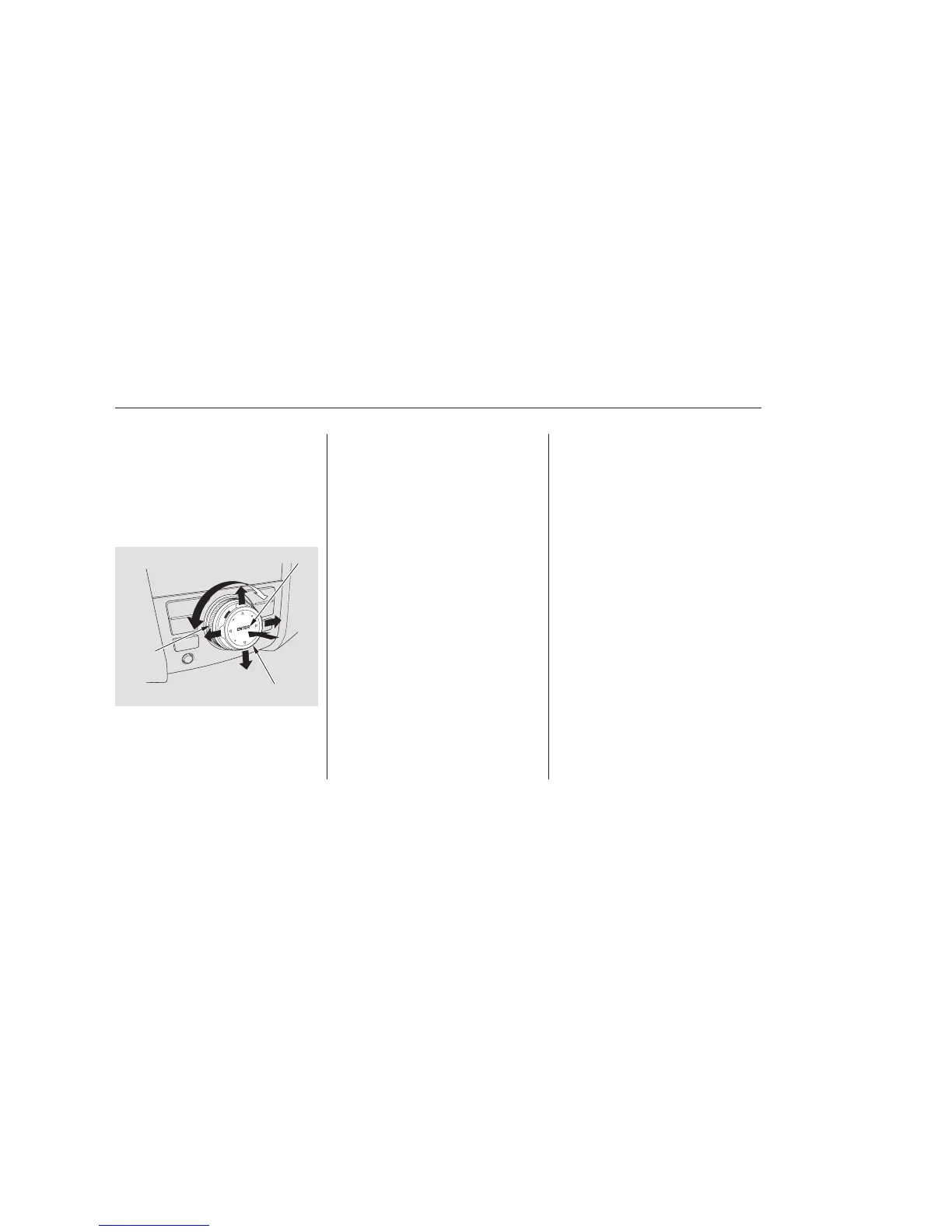
The selector can be pushed left,
right, up, down, and in. Use the
selector to scroll through lists, to
select menus, and to highlight menu
items. When you make a selection,
push the center of the selector
(ENTER)togotothatselection.
The knob turns left and right. Use it
to make selections or adjustments to
a list or menu on the screen.Most audio system functions can still
be controlled by standard buttons,
dials, and knobs, but some functions
can only be accessed using the
interface dial. The interface dial has
two parts, a knob and a selector.
The audio system can also be
operated by voice control. See the
Navi section in your quick start
guide for an overview of this system,
and the navigation system manual
for complete details.
On models with navigation system
Interface Dial Voice Control System
Audio System (Models with navigation system)
250
SELECTOR
KNOB
ENTER
08/03/10 18:01:03 31SZA600 0255


 To Next Page
 Loading...