5. Route the cables according to the instructions in 8.1 Cabling Requirements, and then
use cable ties to bind the cables.
6. Label the installed cables according to the instructions in Attaching an L-Shaped
Label.
----End
8.9 Opening the Cover Plate of an RRU Cabling Cavity
This section describes the procedure for opening the cover plate of an RRU cabling cavity.
Procedure
Step 1 Wear ESD gloves.
NOTICE
Take proper ESD protection measures, for example, wear ESD gloves, to prevent electrostatic
damage to the boards, modules, or electronic components.
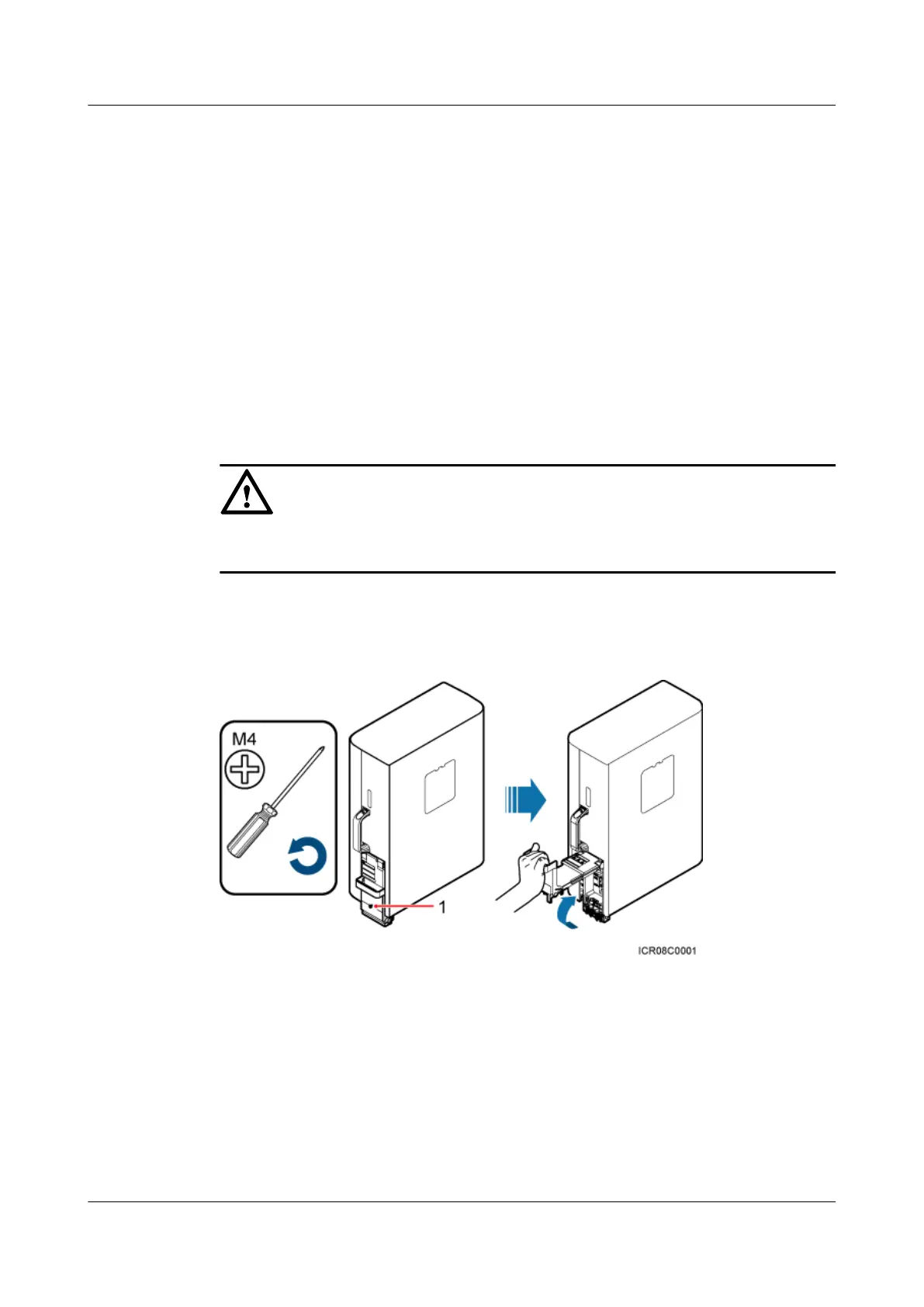
Step 2 Loosen the protection screw on the cover plate of the RRU cabling cavity using an M4 Phillips
screwdriver, and then lower the handle to open the cover plate, as shown in Figure 8-23.
Figure 8-23 Opening the cover plate of the RRU cabling cavity
(1) Protection screw
Figure 8-24 shows the RRU cabling cavity.
RRU3942&RRU3642
Installation Guide
8 Installing RRU Cables
Issue 07 (2013-12-30) Huawei Proprietary and Confidential
Copyright © Huawei Technologies Co., Ltd.
105


 To Next Page
 Loading...








