9
• Wrap your probe’s wire clockwise around the probe wrap.
• When you reach the adapter end of the probe wire, it can be
inserted into the probe wrap’s wire channel to secure the wrapping.
Using the iGrill
2
Display
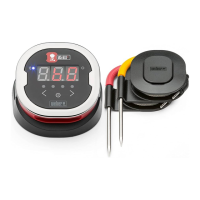
The iGrill
2
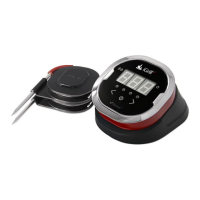
’s display contains the following:
Display
• Displays temperature of currently active probe.
• Displays “DC” for temperatures below -22°F (-30ºC).
• Displays “DH” for temperatures above 572°F (300ºC).
• Displays “OFF” during power off sequence.
• Animates during power on sequence and during reset.
Bluetooth LED
• Blinks blue when discoverable and awaiting pairing.
• Illuminates solid blue when paired.
Probe Indicator LEDs
• Far left side LED illuminates to indicate Probe 1 temperature being
displayed.
• Middle left side LED illuminates to indicate Probe 2 temperature
being displayed.
• Middle right side LED illuminates to indicate Probe 3 temperature
being displayed.
• Far right side LED illuminates to indicate Probe 4 temperature being
displayed.
Probe Toggle Buttons


 To Next Page
 Loading...