
 Need help?
Do you have a question about the Insignia NS-24E40SNA14 and is the answer not in the manual?
Safety guidelines for using your flat panel display to prevent injury or damage.
Covers essential safety precautions, warnings, and cautions for operating the TV.
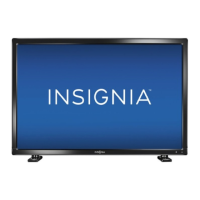
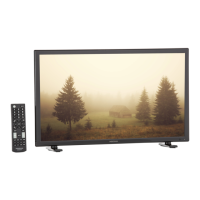
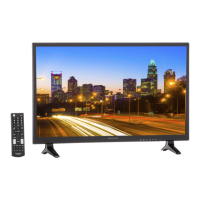
Overview of the Insignia 24" LED TV and its features, including INlink.
Instructions for attaching the TV stand or a wall-mount bracket.
Details the items included in the package and the TV's front panel components.
Identifies the TV's physical buttons and side connections.
Diagram and description of the TV's rear connection ports.
Explains the functions of each button on the Insignia TV remote control.
Guide to selecting the best video and audio connection for optimal quality.
Instructions for connecting cable or satellite boxes via HDMI, DVI, Component, Composite, Coaxial.
How to connect an antenna or cable TV directly to the TV's coaxial input.
Instructions for connecting DVD or Blu-ray players using HDMI, DVI, Component, or Composite.
How to connect game consoles using HDMI, Component, or Composite video connections.
Instructions for connecting a computer via HDMI, DVI, or VGA for display.
How to connect a USB drive to view photos and other compatible files.
How to connect headphones for private listening and select audio output.
Instructions for connecting audio systems via digital or analog audio outputs.
Guidance on how to connect the TV to a power outlet for operation.
Instructions for installing batteries and aiming the remote control.
Walkthrough of the initial setup process, including language and time settings.
How to power the TV on, off, and put it into standby mode.
Guide to switching between different connected devices and inputs.
Explains the structure and appearance of the TV's on-screen menus.
Details how to use the remote control buttons to navigate menus and select options.
How to customize picture settings like mode, brightness, contrast, and color.
Explanation of different aspect ratio settings to fit the screen display.
Customizing sound modes, balance, bass, treble, and audio output options.
Covers auto-scanning, hiding channels, favorites, labels, and aspect ratio.
How to set, change, or recover the parental control password.
Securing the TV by locking buttons and blocking unrated programs.
Defining rating levels for US and Canadian TV and movie content.
Enabling or disabling closed captioning display for TV audio.
Selecting different modes for analog and digital closed captioning display.
Modifying the appearance of digital closed captions, including font and color.
Setting the TV clock, time zone, and sleep timer for automatic shutoff.
Changing menu language, input sensor, and labeling input sources.
Enabling INlink, auto power off/on, and managing connected CEC devices.
Instructions for waking connected devices and accessing their root menus.
Connecting a USB drive and navigating photo files in thumbnail or full-screen view.
Viewing photos in a slideshow and managing a list of favorite photos.
Configuring slideshow options like repeat, shuffle, speed, and transition effects.
Guidelines for safely cleaning the TV cabinet and screen.
Resetting TV settings to factory defaults and viewing system information.
Common problems like no picture, poor picture, no sound, and audio noise.
Solutions for common remote control issues and battery replacement.
Instructions for programming universal remote controls with Insignia TV codes.
Statements regarding compliance with FCC and Industry Canada regulations.
Details the terms, coverage, and limitations of the Insignia TV warranty.



 To Next Page


 General