12
Blue / Solid
Bleu / Continu
Azul / Continuo
Blau / Dauerhaft
Blu / Luce fissa
Azul / Constante
ন೫ӏ
Bluetooth
Bluetooth
ON
Devices
Settings
Klipsch R-41PM
Connected
Bluetooth
Bluetooth
ON
Klipsch R-41PM
Devices
Not Paired
Settings
Blue / Flashing
Bleu / Clignotant
Azul / Destello
Blau / Blinkt
Blu / Lampeggiante
Azul / Intermitente
ন೫ഁප
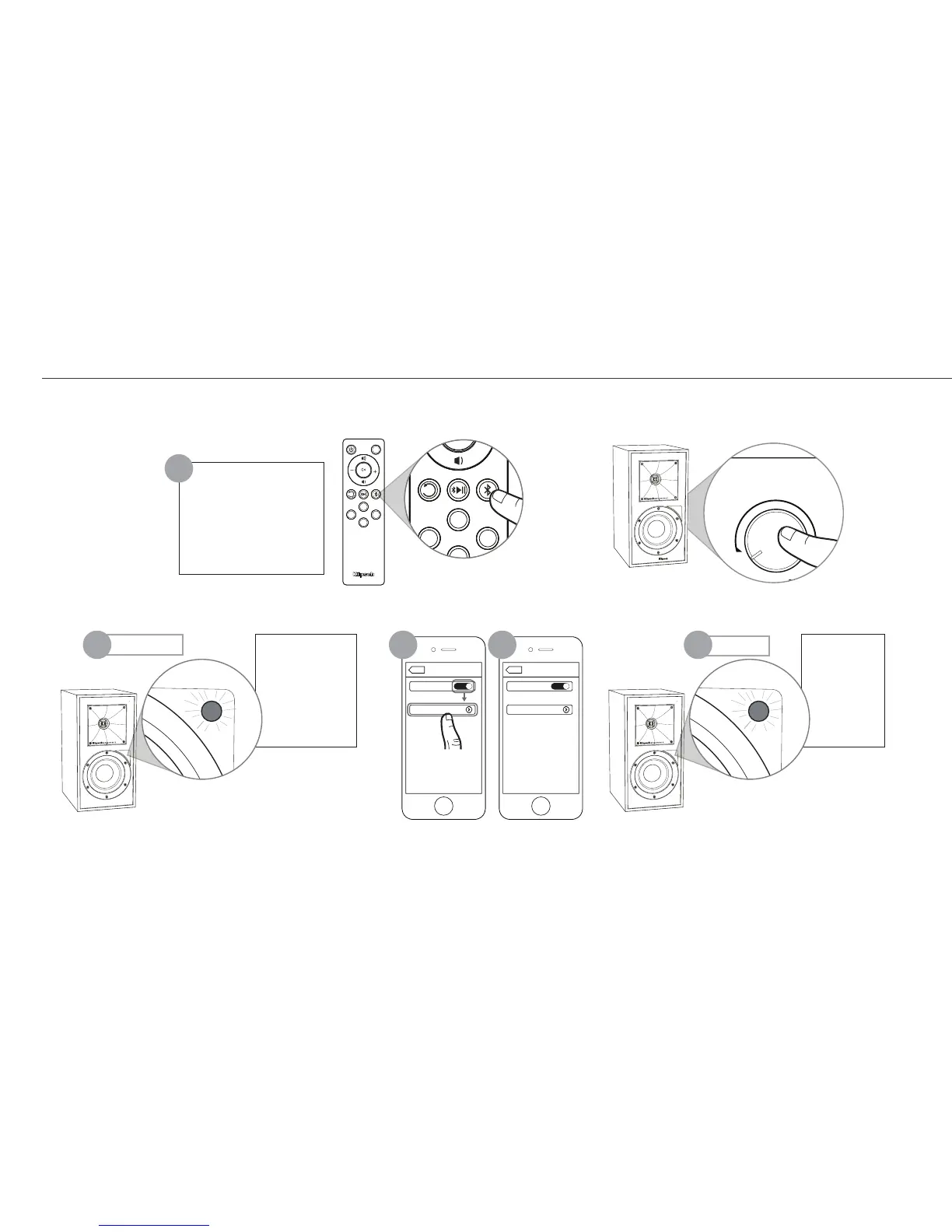
Solid Blue
Flashing Blue
BLUETOOTH
®
WIRELESS TECHNOLOGY
TECNOLOGÍA INALÁMBRICA
BLUETOOTH
®
• CONFIGURACIÓN DE TECNOLOGIA WIRELESS
BLUETOOTH
®
• DRAHTLOSE
BLUETOOTH
®
-TECHNOLOGIE-SETUP • CONFIGURAZIONE TECNOLOGIA WIRELESS
BLUETOOTH
®
•
CONFIGURAÇÃO DE TECNOLOGIA SEM FIO
BLUETOOTH
®
•
BLUETOOTH
®
নན࠶ඓ•
PAIR
CONNEXION
CONEXIÓN
VERBINDEN
COLLEGAMENTO
CONECTAR
ৼࢫ
Hold 3 Seconds
Appuyer pendant 3 secondes
Mantenga oprimido durante 3 segundos
3 Sekunden gedrückt halten
Tenere premuto per 3 secondi
Manter pressionado por 3 segundos
ГԂ
1
32 4 5
OR
OU
O BIEN
ODER
OPPURE
OU
ࠎ
LED
USB
PHONO OPT
AUX
SUBSUB
SUB
Example only. Your device may differ.
• À titre d’exemple seulement. Votre appareil peut être différent. • Este es solo un ejemplo. Es posible que su dispositivo sea diferente. • Nur als Beispiel. Ihr Gerät kann anders aussehen
• Solo a titolo esemplificativo. Lo specifico dispositivo può essere diverso. • Apenas para exemplo. O dispositivo pode ser diferente. • ࣎ເ൜৯èࡄനШႼ҉•
ΔϴϜϠγϼϟ
®
BLUETOOTHΎϴΟϮϟϮϨϜΗ
ϥήΘϗ
ϥϮΛ3ΓΪϤϟέήϤΘγΎΑςϐο
ϭ
ξϴϣϭϕέί ΖΑΎΛϕέί
ϙίΎϬΟϒϠΘΨϳΪϗςϘϓϝΎΜϣ


 To Next Page
 Loading...