Need help?
Do you have a question about the Lenovo B570e and is the answer not in the manual?
Visual guide to the top components of the laptop, identifying key parts.
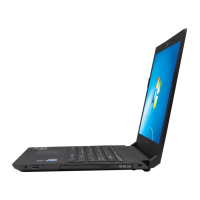
Identifies ports and features on the left side of the laptop for connectivity.
Details ports and features located on the right side of the laptop.
Explains the components and indicators visible on the front of the computer.
Illustrates the parts and openings on the underside of the laptop.
Initial setup steps and essential operations for first-time users.
Instructions on charging, checking, and handling the laptop's power sources.
Guide on operating the touchpad and its buttons for cursor navigation.
Explanation of keyboard layout, numeric keypad, and function key combinations.
How to connect memory cards, USB devices, and other peripherals.
Steps to enable and use Bluetooth for wireless connectivity with other devices.
How to switch between integrated and dedicated graphics processors for performance.
Details on unique keys and buttons like the OneKey Rescue system button.
Explains the meaning of various LED indicators on the computer's status.
Methods to protect the computer from theft and unauthorized access.
Instructions for establishing an internet connection using physical cables.
How to connect to the internet using Wi-Fi, WiMAX, or Mobile Broadband.
Guide to using the Lenovo OneKey Rescue system for data backup and system recovery.
Answers to common user queries and problems encountered with the computer.
Solutions for display, password, sleep/hibernation, sound, and startup issues.
Step-by-step guide for safely removing and installing the laptop battery.
Instructions for upgrading or replacing the computer's hard disk drive.
Procedures for installing or upgrading the computer's RAM modules.
Steps to remove the optical drive from specific laptop models.
Details on warranty coverage, period, and types of service available for the product.
Information about the computer's compliance with ENERGY STAR standards for energy efficiency.
Compliance statements regarding electromagnetic emissions (FCC, IC, EU).

 To Next Page
 General