SM20 Series
User Manual
22
2.5 Device Reset
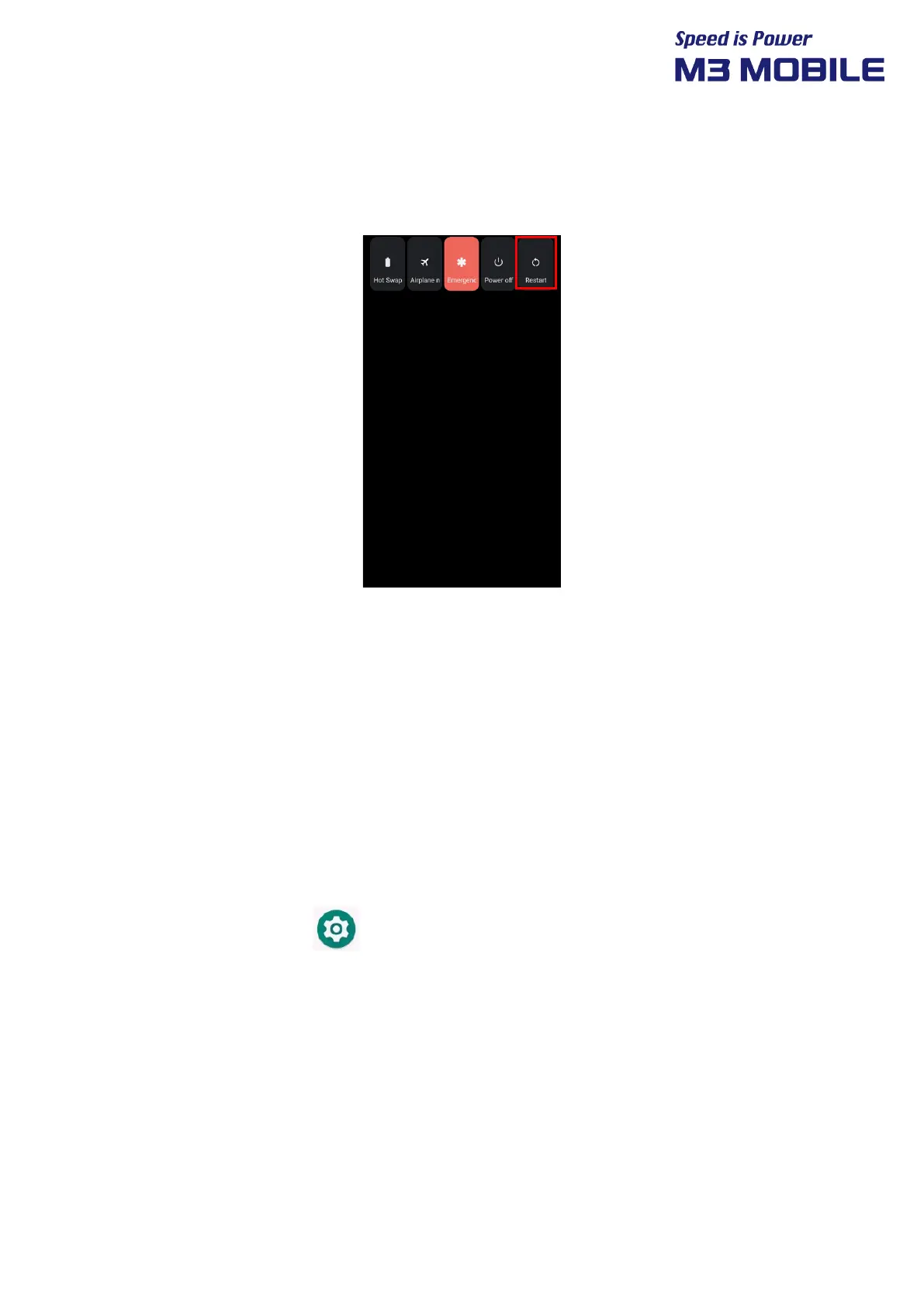
2.5.1 Soft Reset (1)
Press and hold Power button to display power management menu. Select “Restart” menu.
2.5.2 Soft Reset (2)
Long Press Power button more than 30sec.
The program being executed will end, and the data or file being used will also be deleted.
However, the stored data or file will not be affected by Soft Reset.
2.5.3 Factory Reset
If serious problem occurs in the device or problem is not solved through Soft Reset, Perform
factory reset.
For factory reset, Perform the following procedure:
Swipe the bottom Click Settings System Reset options Erase all data
(factory reset)


 To Next Page
 Loading...