SM20 Series
User Manual
38
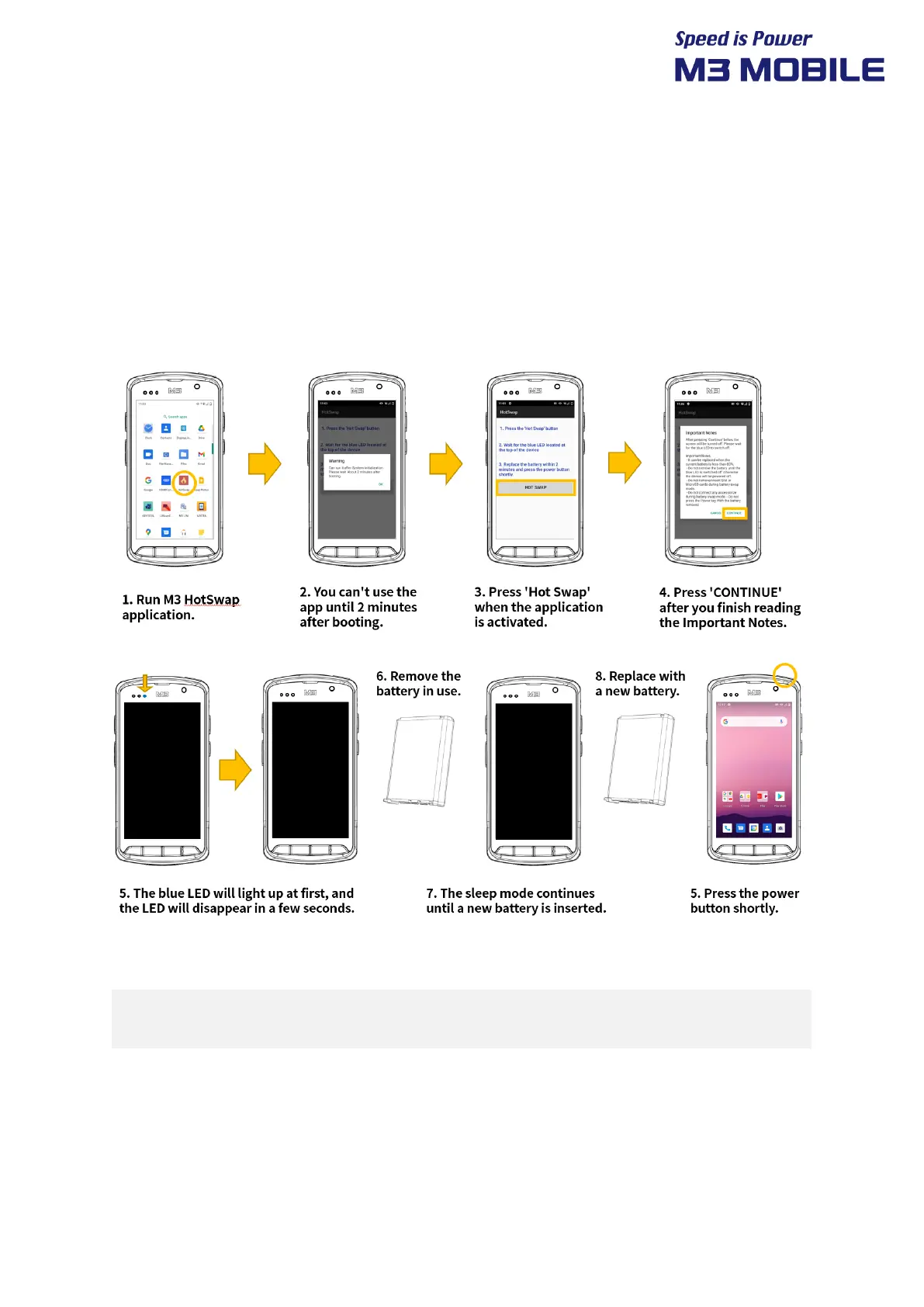
4.3 Battery Hot swap
Sometimes people want to swap the battery without rebooting a device.
Because,
1) Not saved application data is erased when device is rebooted.
2) Rebooting Time is too long.
Battery Hot swap function prevents this situation.
1. Be sure to remove the battery after the blue LED disappears.
2. Replace new battery within 2 minutes and press the power button shortly.


 To Next Page
 Loading...