A
ashley58Aug 20, 2025
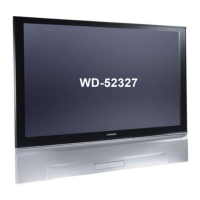
Why my Mitsubishi Electric TV has no power or won't boot?
- NnreyesAug 20, 2025
If your Mitsubishi Electric TV isn't turning on or booting up, it could be due to a loose RA connector or a lack of Vcc to IC7A00 or IC9C51.


 To Next PageTo Next Page
Why my Mitsubishi Electric TV has no power or won't boot?
If your Mitsubishi Electric TV isn't turning on or booting up, it could be due to a loose RA connector or a lack of Vcc to IC7A00 or IC9C51.
What to do if my Mitsubishi Electric TV shuts down after a while?
If your Mitsubishi Electric TV shuts down after a while, it could be due to several reasons: * A fan not working or a temperature sensor issue. Check the error code and inspect the indicated fan or sensor. * A clogged filter. Inspect the filter and clean or replace it. * A temperature sensor problem. Check the error code, connections DT-KB, LT-KB, and the sensor itself. * A blocked air path. Ensure proper airflow from each engine fan.
What does ERROR CODE 41 (Stby Short detected) mean on Mitsubishi Electric TV?
If your Mitsubishi Electric TV displays ERROR CODE 41 (Stby Short detected), it could be due to: * IC9A23 circuit: Check 12VS @ connector PD pin 14. * Zener D9A41. * IC9A21 circuit: Check 5VS @ connector PC pin 8. * Q9A12 circuit. * Zener D9A47. * F9E10 (+15VS): Check 4.5V @ PD pin 19 (STBY SHORT). * F9E11 (-15VS).
What does ERROR CODE 48 (Eng power short) mean on Mitsubishi Electric TV?
If your Mitsubishi Electric TV displays ERROR CODE 48 (Eng power short), check the following: 1. IC9A24 circuit: Verify 3.3V @ connector PA2 pin 1. 2. Zener D9A43. 3. Q9A13 circuit: Verify 18V @ PA2 pin 8.
Why there is no picture on my Mitsubishi Electric TV?
If your Mitsubishi Electric TV shows no picture, the issue might be with IC2K02, 03, 04, Q2M00, 01, or 02.
What does ERROR CODE 34 (lamp not lit) mean on Mitsubishi Electric TV?
If your Mitsubishi Electric TV displays ERROR CODE 34 (lamp not lit), verify 340VDC @ connector PL by checking the doubler circuit. Also, check the ballast circuit.
How to troubleshoot a Mitsubishi Electric TV with NO POWER?
If your Mitsubishi Electric TV has no power, check all fuses. Additionally, inspect the following: * T9A10 circuit: Check 18V @ D926 cathode. * IC9A10 circuit. * IC9A22 circuit: Check 5VSL @ connector PD pin 16. * Zener D9A39. * PC9A21 circuit: PD pin 20 for HIGH (AC-OFF).
What to do if FMT does not turn on lamp due to fault on Mitsubishi Electric TV?
If your Mitsubishi Electric TV shows FMT does not turn on lamp due to fault, check the error code on the front panel to identify the indicated problem. If there is no DC supply to ballast, check power PWB PL connector for approximately 340VDC. If there is no light, check connections PL-JE, JE-CN2. If there is no lamp enable signal, check FMT output LAMP-EN at FB pin 4 and LAMPLIT at FB-pin 1.
What does ERROR CODE 51 (Spk Short) mean on Mitsubishi Electric TV?
If your Mitsubishi Electric TV displays ERROR CODE 51 (Spk Short), check Q9E00 circuit and verify +15VS @ connector PD pin 1. Also, check Q9E00 circuit and verify -15VS @ connector PD pin 7.
What to do if my Mitsubishi Electric TV has no picture or bad picture?
If your Mitsubishi Electric TV displays no picture or a bad picture, and FMT does not turn on video, check the diagnostic code and the indicated circuit. If the DVI cable is not connected, check DVI connections. If engine power is missing, check connections PA2 (PWR) & CN102 on Engine. If the engine is blanked, check control connections FC-FC, KC-CN3100. If FMT is not providing a video signal, check the FMT Board. If the engine is broken, replace the engine and check.
Technical details and operational parameters of the TV models.
Important warnings about electrical and mechanical safety characteristics.
Essential safety measures and warnings for servicing the unit.
Step-by-step guide for removing the chassis and accessing internal components.
Procedure for replacing the light engine assembly.
Instructions for removing and installing screen components.
Procedures for various adjustments including optical and signal settings.
Guide for diagnosing and resolving common problems using LEDs and error codes.
Guidelines and cautions for using lead-free solder during repairs.
Procedures for replacing small surface-mount components.
Information on ordering, tolerance codes, and common parts.
Block diagrams illustrating various circuit paths and power supplies.
 General
| Display Technology | DLP |
|---|---|
| Aspect Ratio | 16:9 |
| Number of Speakers | 2 |
| Screen Size | 52 inches |
| Resolution | 1280 x 720 |
| Inputs | HDMI, Component, Composite, S-Video |
| Speakers | Yes |