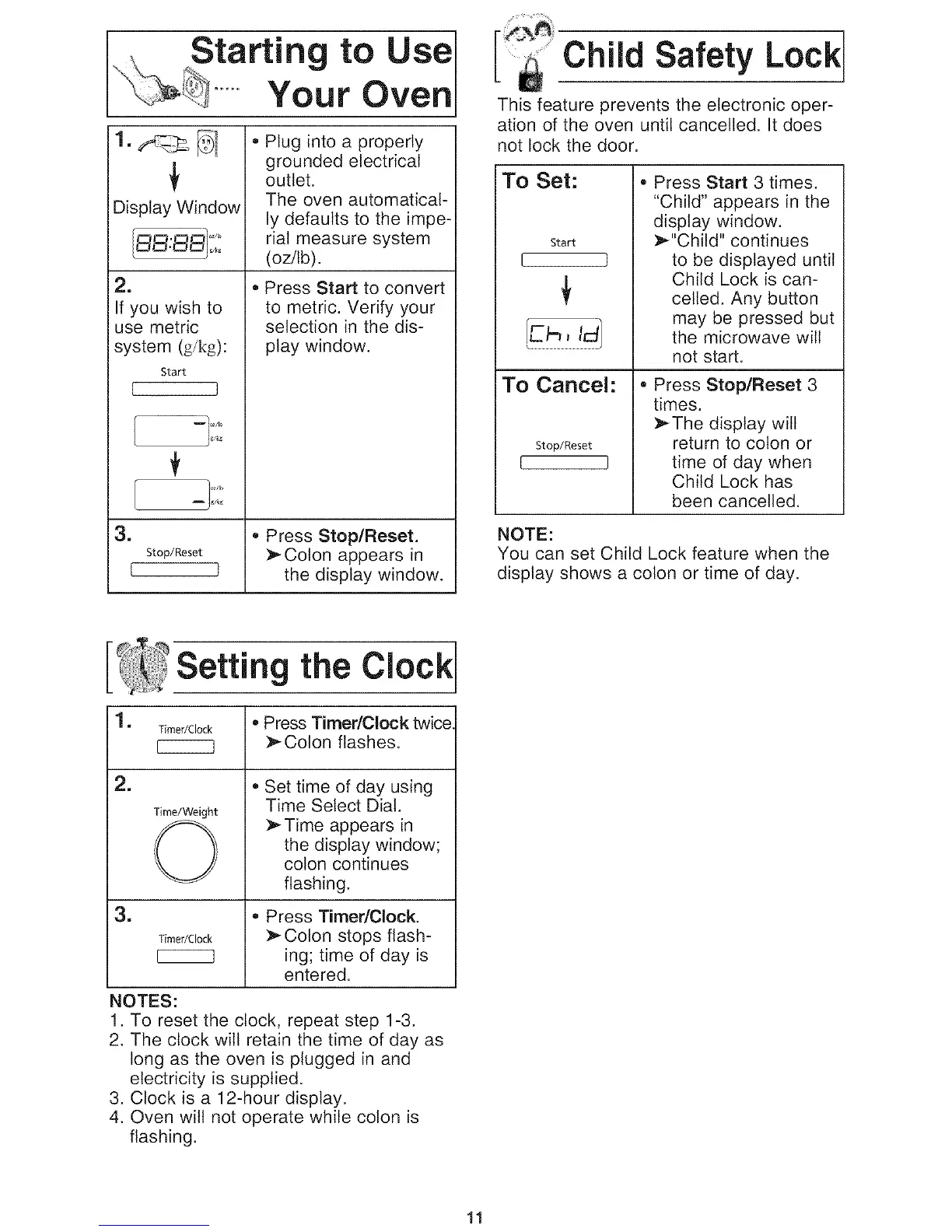
Starting to use
.... Your Oven
e
Display Window
2.
If you wish to
use metric
system (g/kg):
Start
[ J
=
Stop/Reset
{ }
Plug into a properly
grounded electrical
outlet.
The oven automatical-
ly defaults to the impe-
rial measure system
(oz/lb).
Press Start to convert
to metric. Verify your
selection in the dis-
play window.
• Press Stop/Reset.
Colon appears in
the display window.
Child Safety Lock
This feature prevents the electronic oper-
ation of the oven until cancelled. It does
not lock the door.
To Set:
Start
I I
To Cancel:
Stop/Reset
L J
• Press Start 3 times.
"Child" appears in the
display window.
_"Child" continues
to be displayed until
Child Lock is can-
celled. Any button
may be pressed but
the microwave will
not start.
• Press Stop/Reset 3
times.
:_The display will
return to colon or
time of day when
Child Lock has
been cancelled.
NOTE:
You can set Child Lock feature when the
display shows a colon or time of day.
Setting the Clock
1. Timer/Clock ® Press TimedClock twice
I_] _ Colon flashes.
i2.
=
Time/Weight
©
Timer/Clock
NOTES:
• Set time of day using
Time Select Dial.
:_ Time appears in
the display window;
colon continues
flashing.
• Press Timer/Clock.
Colon stops flash-
ing; time of day is
entered.
1. To reset the clock, repeat step 1-3.
2. The clock will retain the time of day as
long as the oven is plugged in and
electricity is supplied.
3. Clock is a 12-hour display.
4. Oven wilt not operate while colon is
flashing.
11


 To Next Page
 Loading...