Careand Cleaningof Your MicrowaveOven
BEFORE CLEANING: [AFTER CLEANING:
Unplug oven at wall outlet. If outlet is inacces- _Be sure to place the Roller Ring and the
_Glass Tray in the proper position and press
sible, leave oven door open whi e c eaning.
[Stop/Reset Button to clear the Display.
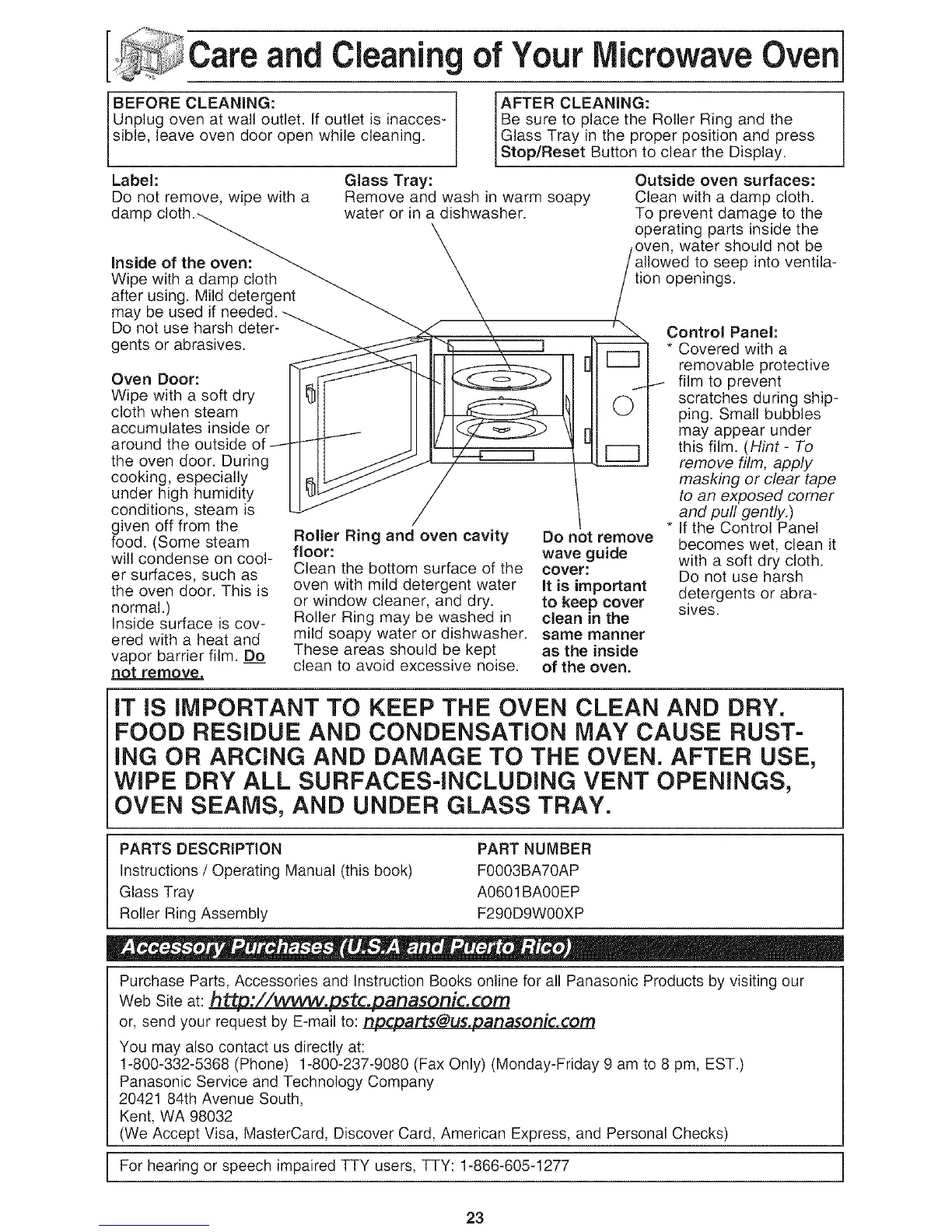
Label:
Do not remove, wipe with a
Inside of the oven:
Wipe with a damp cloth
after using. Mild detergent
may be used if
Do not use harsh deter-
gents or abrasives.
Oven Door:
Wipe with a soft dry
cloth when steam
accumulates inside or
around the outside
the oven door. During
cooking, especially
under high humidity
conditions, steam is
given off from the
food. (Some steam
will condense on cool-
er surfaces, such as
the oven door. This is
normal.)
Inside surface is cov-
ered with a heat and
vapor barrier film. D___o
not remove,
Glass Tray:
Remove and wash in warm soapy
water or in a dishwasher.
Roller Ring and oven cavity Do not remove
floor: wave guide
Clean the bottom surface of the cover:
oven with mild detergent water It is important
or window cleaner, and dry. to keep cover
Roller Ring may be washed in clean in the
mild soapy water or dishwasher, same manner
These areas should be kept as the inside
clean to avoid excessive noise, of the oven.
Outside oven surfaces:
Clean with a damp cloth.
To prevent damage to the
operating parts inside the
oven, water should not be
allowed to seep into ventila-
tion openings.
/\
Control Panel:
* Covered with a
removable protective
I film to prevent
scratches during ship-
ping. Small bubbles
may appear under
this film. (Hint- To
remove film, apply
masking or clear tape
to an exposed comer
and pull gently.)
* If the Control Panel
becomes wet, clean it
with a soft dry cloth.
Do not use harsh
detergents or abra-
sives.
iT iS IMPORTANT TO KEEP THE OVEN CLEAN AND DRY.
FOOD RESIDUE AND CONDENSATION MAY CAUSE RUST-
iNG OR ARCING AND DAMAGE TO THE OVEN. AFTER USE,
WiPE DRY ALL SURFACES-INCLUDING VENT OPENINGS,
OVEN SEAMS, AND UNDER GLASS TRAY.
PARTS DESCRIPTION PART NUMBER
Instructions / Operating Manual (this book) F0003BA70AP
Glass Tray A0601BA00EP
Roller Ring Assembly F290D9W00XP
Purchase Parts, Accessories and Instruction Books online for all Panasonic Products by visiting our
Web Site at: h_p://vvvvvv.pstc.panasonic.com
or, send your request by E-mail to: npcparts@us.panasonic.com
You may also contact us directly at:
1-800-332-5368 (Phone) 1-800-237-9080 (Fax Only) (Monday-Friday 9 am to 8 pm, EST.)
Panasonic Service and Technology Company
20421 84th Avenue South,
Kent, WA 98032
(We Accept Visa, MasterCard, Discover Card, American Express, and Personal Checks)
For hearing or speech impaired TTY users, TTY: 1-866-605-1277
23


 To Next Page
 Loading...