PM95 Android 13 User Manual
52
© 2024 Point Mobile Co., Ltd. All rights reserved
Camera
To use the camera, open App drawer and tap Camera application .
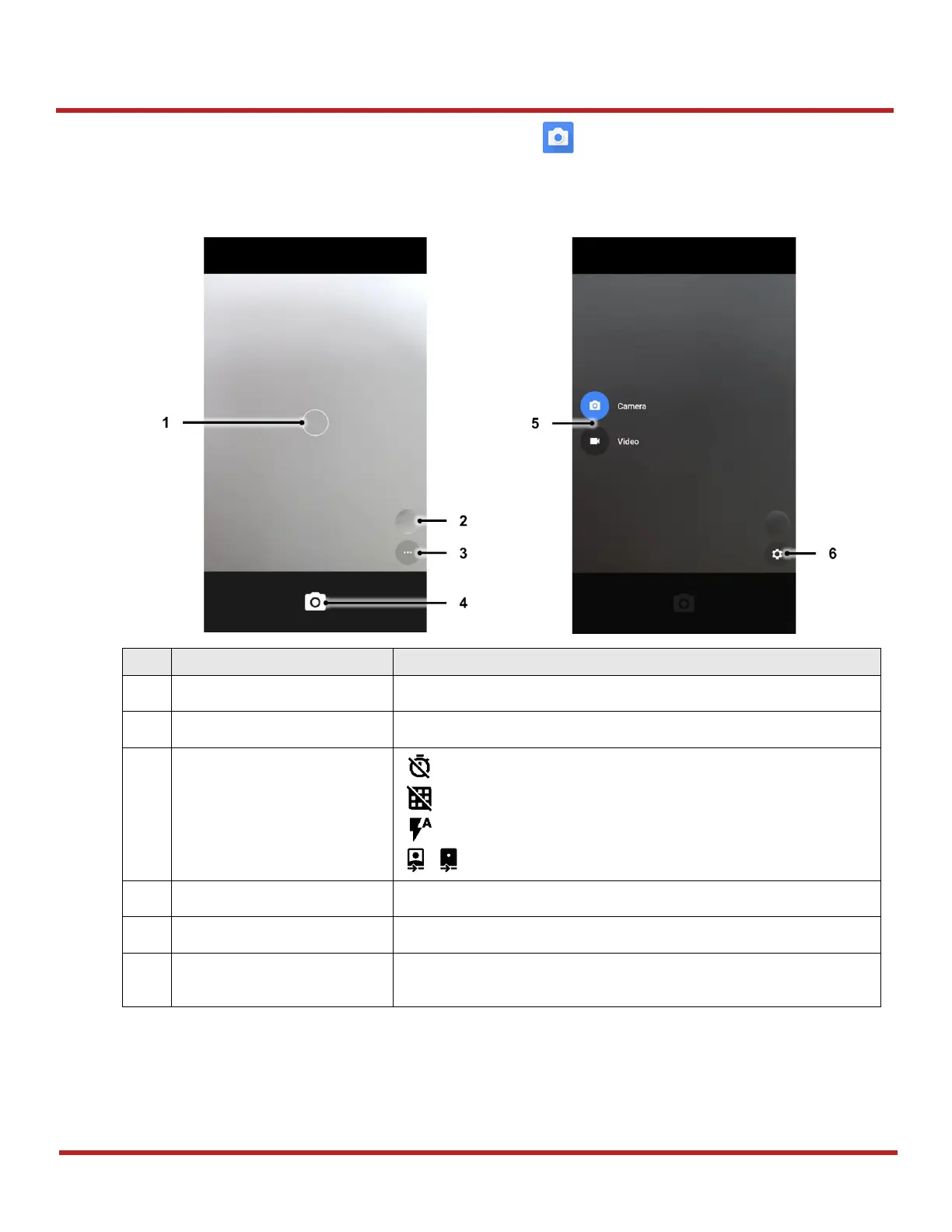
Figure 57 is a main screen of Camera application, and Figure 58 is a screen that is displayed when you swipe the
screen to right.
You can change the focusing area by touching the other area
Go to gallery to see the currently taken photos
: Set timer
: Display the grid on the screen
: Set flash mode (Activate / Deactivate / Auto mode)
/ : Switch the camera (Front / Rear)
Take a picture or recode a video
Change the Camera or Video mode
Set resolution & quality of picture
Enable / Disable saving location and manual exposure
Figure 58 Camera mode change/setting screen
Figure 57 Camera main screen


 To Next Page
 Loading...





